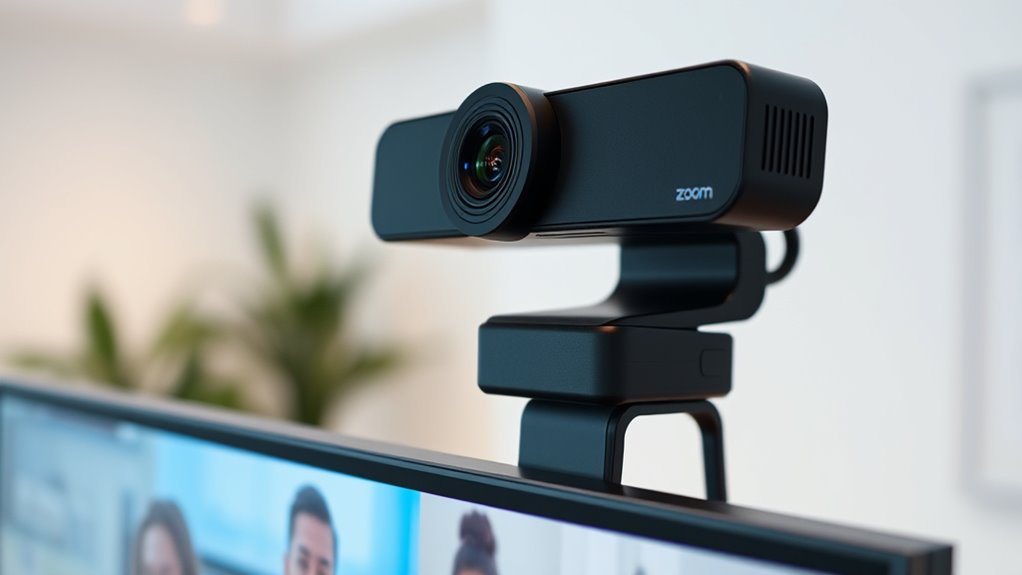
For most Zoom users, I’d start with the Logitech MX Brio for its 4K detail and flexible image controls; the Logitech C920x is a more straightforward 1080p choice, while the NexiGo N680E Pro adds a built-in ring light for dim desks. The main tradeoff is paying for sharper video and extra controls versus choosing a simpler webcam that handles everyday calls well. Autofocus, microphone quality, lighting, privacy features, and how easily a camera fits your setup can matter more than resolution alone. The 15 options here range from basic plug-and-play models to feature-rich cameras. Read on for the full breakdown and help matching a webcam to your meetings.

Get health and wellness essentials delivered free with Prime
- Fast, free delivery on millions of items
- Prime Video, Amazon Music and more included
- Member-only deals all year
Key Takeaways
4K is not the only route to a clear call: The Logitech C920x and other 1080p options can suit everyday Zoom meetings without the added demands of 4K video.
Lighting separates some of the more specialized picks: The NexiGo N680E Pro includes a ring light, while many alternatives rely on the room’s existing light.
Autofocus and framing can matter more than headline resolution: The OBSBOT Meet 2 pairs 4K with AI framing, while fixed-use setups may not need those extras.
Privacy features are common but not universal: Several 1080p models include a cover or shutter, so check the exact listing rather than assuming every webcam has one.
Dual microphones appear across many tiers: They offer built-in audio convenience, but buyers who need consistently strong voice pickup should still compare them with a dedicated headset or microphone.
| NexiGo N680E Pro 4K Webcam with Ring Light |  | Best Overall for Well-Lit, Sharp Calls | Video resolution: 4K and 1080p | Sensor: CMOS, Sony 1/2.5-inch sensor | Frame rate: Up to 1080p at 60 fps | VIEW ON AMAZON | See Our Full Breakdown |
| Shcngqio TWC29 1080p Full HD USB Webcam |  | Best Simple Setup for Casual Meetings | Video resolution: 1080p (1920 × 1080) | Frame rate: 30 fps | Lens: Wide angle | VIEW ON AMAZON | See Our Full Breakdown |
| Logitech MX Brio Ultra HD 4K Webcam |  | Best Premium Pick for Image Control | Video resolution: 4K at 30 fps or 1080p at 60 fps | Sensor: Logi-designed sensor with 70% larger pixels | Image features: AI-enhanced face visibility | VIEW ON AMAZON | See Our Full Breakdown |
| EMEET C960 4K Webcam with PDAF Autofocus |  | Best 4K Value for a Standard Desk Setup | Video resolution: True 4K; defaults to 1080p | Focus: PDAF autofocus | Field of view: 73° | VIEW ON AMAZON | See Our Full Breakdown |
| Logitech C270 720p HD Webcam | 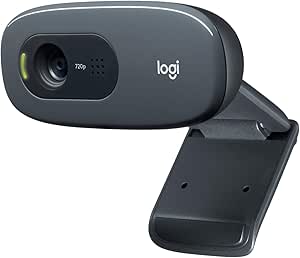 | Best Basic Pick for a Fixed Desk | Video resolution: 720p | Frame rate: 30 fps | Field of view: 55° diagonal | VIEW ON AMAZON | See Our Full Breakdown |
| OBSBOT Meet 2 4K Webcam with 1/2-Inch Sensor, AI Framing, and Autofocus |  | Best for AI Framing and Image Detail | Resolution: 4K UHD | Sensor: 1/2-inch CMOS | Focus: Autofocus | VIEW ON AMAZON | See Our Full Breakdown |
| Logitech C920x HD Pro 1080p Webcam |  | Best for Reliable Everyday Zoom Calls | Resolution: Full HD 1080p | Frame rate: 30 fps | Focus: Autofocus | VIEW ON AMAZON | See Our Full Breakdown |
| EMEET C60E Dual-Camera 4K Webcam |  | Best for Switching Between Room View and Close-Up | Image sensor: 1/2.8-inch CMOS 4K sensor | Cameras: Wide-angle and telephoto | Hybrid zoom: 1x to 11x | VIEW ON AMAZON | See Our Full Breakdown |
| Acer A610 1080p Webcam with Dual Microphones and Privacy Cover |  | Best for a Simple Setup with a Privacy Cover | Resolution: 1080p Full HD | Sensor: CMOS, 1/3-inch | Connectivity: USB | VIEW ON AMAZON | See Our Full Breakdown |
| EMEET C960 1080p Webcam with Dual Microphones and Privacy Cover |  | Best for a Wider Fixed Desk View | Resolution: 1920 × 1080 (Full HD) | Field of view: 90° | Focus: Fixed focus | VIEW ON AMAZON | See Our Full Breakdown |
| NexiGo N60 1080P Webcam with Microphone, Privacy Cover, and Software Control |  | Best Value for Straightforward Setup | Resolution: 1920 x 1080 (1080p) | Frame rate: 30 fps | Sensor: 2MP CMOS | VIEW ON AMAZON | See Our Full Breakdown |
| Logitech C920e HD 1080p Webcam with Microphones |  | Best for Reliable Business Calls | Resolution: 1080p HD | Field of view: 78° | Focus: HD autofocus | VIEW ON AMAZON | See Our Full Breakdown |
| Logitech Brio Ultra HD 4K Webcam for Streaming and Meetings |  | Best Premium Pick for Flexible Framing | Maximum resolution: 4K | Maximum frame rate: 30 fps | Digital zoom: 5× | VIEW ON AMAZON | See Our Full Breakdown |
| Logitech Brio 101 Full HD 1080p Webcam, Black |  | Best for Simple Everyday Meetings | Resolution: Full HD 1080p | Connection: USB-A | Microphone: Built-in | VIEW ON AMAZON | See Our Full Breakdown |
| Trausi 1080p FHD Webcam with Noise-Canceling Mic, Auto Light Correction, Privacy Cover and Wide-Angle Lens | 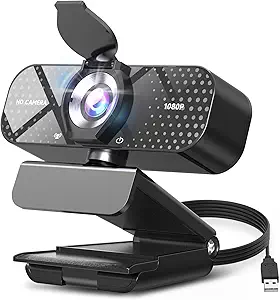 | Best for Shared Desk Framing | Resolution: 1080p Full HD | Frame rate: 30 fps | Lens: Wide-angle, fixed viewing angle | VIEW ON AMAZON | See Our Full Breakdown |
| webcams for zoom meeting | Connectivity | Focus | Microphones | Resolution |
|---|---|---|---|---|
| NexiGo N680E Pro 4K Webcam wit | USB | PDAF autofocus | Dual noise-canceling | — |
| Shcngqio TWC29 1080p Full HD U | USB 2.0, USB 3.0, USB 3.1, and OTG | Fixed focus | — | — |
| Logitech MX Brio Ultra HD 4K W | USB-C | — | Dual beamforming noise-reducing | — |
| EMEET C960 4K Webcam with PDAF | USB-A | PDAF autofocus | Dual omnidirectional | — |
| Logitech C270 720p HD Webcam | USB-A | Fixed focus | — | — |
| OBSBOT Meet 2 4K Webcam with 1 | — | Autofocus | Dual omnidirectional noise-canceling microphones | 4K UHD |
| Logitech C920x HD Pro 1080p We | — | Autofocus | — | Full HD 1080p |
| EMEET C60E Dual-Camera 4K Webc | USB 2.0 Type-A | — | 2 omnidirectional microphones | — |
| Acer A610 1080p Webcam with Du | USB | Fixed focus | Dual noise-reduction | 1080p Full HD |
| EMEET C960 1080p Webcam with D | USB Type-A with A-to-C adapter | Fixed focus | 2 omnidirectional microphones | 1920 × 1080 (Full HD) |
| NexiGo N60 1080P Webcam with M | USB 2.0/3.0 | — | — | 1920 x 1080 (1080p) |
| Logitech C920e HD 1080p Webcam | — | HD autofocus | Two integrated omnidirectional microphones | 1080p HD |
| Logitech Brio Ultra HD 4K Webc | — | — | Dual omnidirectional microphones with noise-canceling technology | — |
| Logitech Brio 101 Full HD 1080 | — | — | — | Full HD 1080p |
| Trausi 1080p FHD Webcam with N | USB 2.0/3.0/3.1, OTG | — | — | 1080p Full HD |
More Details on Our Top Picks
NexiGo N680E Pro 4K Webcam with Ring Light
The NexiGo N680E Pro is the most complete choice here for Zoom users who want a clear image without assembling a separate lighting setup. Its 4K sensor captures fine detail, while PDAF autofocus can keep you sharp as you move; for smoother motion, it also supports 1080p at 60 fps. The adjustable tri-tone ring light is a practical advantage over the EMEET C960 4K, which has no built-in light listed. Dual noise-canceling microphones and a privacy shutter round out a meeting-ready setup. The tradeoff is that the light offers only three color temperatures and may feel too bright in some dim rooms. It also needs continuous USB power, so it is less suited to portable use than a simpler camera like the Logitech C270.
Pros:- 4K capture and 1080p at 60 fps give a choice between fine detail and smoother motion.
- PDAF autofocus helps keep the speaker in focus while moving.
- Adjustable tri-tone ring light adds lighting control without a separate accessory.
- Dual noise-canceling microphones and a built-in privacy shutter suit regular video calls.
Cons:- Requires continuous USB power and has no built-in battery.
- The ring light has only three color temperatures and may be too bright in very low-light settings.
Best for: Remote workers who want sharp 4K video, autofocus, and an adjustable on-camera light for calls from a home office with inconsistent lighting.
Not ideal for: People who need a battery-powered or highly portable webcam, or who prefer to control lighting with a separate lamp.
- Video resolution:4K and 1080p
- Sensor:CMOS, Sony 1/2.5-inch sensor
- Frame rate:Up to 1080p at 60 fps
- Focus:PDAF autofocus
- Microphones:Dual noise-canceling
- Lighting:Built-in adjustable tri-tone ring light
- Connectivity:USB
- Privacy:Built-in privacy shutter
Our verdict“Choose the NexiGo N680E Pro if you want one USB webcam to combine detailed video, quick autofocus, and built-in lighting for Zoom calls.”
Shcngqio TWC29 1080p Full HD USB Webcam
The Shcngqio TWC29 is a straightforward pick for buyers who need a basic 1080p camera and want to avoid installing drivers. Its plug-and-play USB connection, automatic light correction, and sliding privacy cover cover the everyday basics for Zoom calls. The wide-angle lens may suit a user who wants more of their desk or background in frame than the tighter Logitech C270, but the TWC29 uses fixed focus, so it cannot adjust focus as the speaker moves. Its 30 fps video is adequate for routine meetings, not a route to the smoother motion available from the 1080p60 NexiGo N680E Pro or Logitech MX Brio. The listed noise-reducing microphone is convenient, though this option has fewer detailed performance and compatibility particulars than the more established-featured alternatives in this group.
Pros:- 1080p resolution is a step up in detail from the Logitech C270’s 720p.
- Automatic light correction can adjust the image as room lighting changes.
- Sliding privacy cover provides a simple way to block the lens between calls.
- Plug-and-play USB setup avoids the need for additional drivers.
Cons:- Fixed focus cannot adapt when the speaker changes distance from the camera.
- 30 fps video is less smooth than the 60 fps options in this roundup.
- The provided product details do not specify a field-of-view measurement or supported operating systems.
Best for: Students and occasional meeting attendees who want a basic 1080p webcam with a privacy cover and driver-free USB setup.
Not ideal for: Presenters who move around during calls, need smooth 60 fps video, or want detailed control over framing and focus.
- Video resolution:1080p (1920 × 1080)
- Frame rate:30 fps
- Lens:Wide angle
- Focus:Fixed focus
- Sensor:CMOS
- Connectivity:USB 2.0, USB 3.0, USB 3.1, and OTG
- Cable length:5 ft
- Privacy:Sliding privacy cover
Our verdict“Pick the TWC29 for uncomplicated 1080p Zoom calls, but choose an autofocus model if you move around or need more control.”
Logitech MX Brio Ultra HD 4K Webcam
The Logitech MX Brio suits frequent Zoom presenters who want more control over their image than a basic webcam provides. It records in 4K at 30 fps or 1080p at 60 fps, and its larger-pixel sensor with AI-enhanced face visibility is designed to help keep faces clear in low light. Compared with the EMEET C960 4K, the MX Brio adds Show Mode for pointing the camera toward notes or objects on a desk, plus software controls for lighting and white balance. Dual beamforming microphones and a physical privacy cover make it a polished meeting setup. The cost of that flexibility is extra setup: its finer image controls require Logitech software, and USB-C connectivity may call for an adapter on older USB-A-only computers.
Pros:- Offers both 4K at 30 fps and 1080p at 60 fps.
- AI-enhanced face visibility is designed to help in low-light meeting rooms.
- Show Mode makes it easier to share notes and physical objects from a desk.
- Dual beamforming microphones and a physical privacy cover support regular work calls.
Cons:- Fine Controls and other advanced adjustments require Logitech software.
- USB-C may require an adapter for computers with only USB-A ports.
- More settings and features may be unnecessary for buyers who only need basic 1080p calls.
Best for: Frequent presenters and hybrid workers who want high-resolution video, software-based image adjustments, and a way to show desk materials during calls.
Not ideal for: People seeking a simple plug-in webcam, or users whose computer lacks USB-C and who do not want to use an adapter or install software.
- Video resolution:4K at 30 fps or 1080p at 60 fps
- Sensor:Logi-designed sensor with 70% larger pixels
- Image features:AI-enhanced face visibility
- Microphones:Dual beamforming noise-reducing
- Connectivity:USB-C
- Desk-sharing feature:Show Mode
- Privacy:Physical privacy cover
- Compatibility:Windows, macOS, Chrome OS, and Linux
Our verdict“Choose the MX Brio if you make frequent calls and will use its image controls or Show Mode, rather than simply needing a basic webcam.”
EMEET C960 4K Webcam with PDAF Autofocus
The EMEET C960 4K is a sensible match for Zoom users who want autofocus and 4K capability without the MX Brio’s more involved image controls. Its PDAF autofocus, automatic light correction, and 73° field of view are suited to a single-person desk setup, while the privacy cover, USB-A connection, and tripod thread offer practical everyday flexibility. It is less ready to use at its highest resolution than the NexiGo N680E Pro: the C960 defaults to 1080p, and 4K requires a setting in camera software or a supported app. Unlike that NexiGo, it has no listed built-in ring light, and its microphones are omnidirectional rather than noise-canceling. This makes it a straightforward camera upgrade, but not a complete lighting-and-audio solution for a challenging room.
Pros:- True 4K capture and PDAF autofocus provide a capable video foundation.
- Automatic light correction can help adapt to changing room brightness.
- Privacy cover and 1/4-inch tripod thread add useful setup flexibility.
- USB-A connectivity suits computers with standard USB-A ports.
Cons:- Video defaults to 1080p; enabling 4K requires software or a supported app.
- No built-in ring light is listed, unlike the NexiGo N680E Pro.
- Dual omnidirectional microphones may be less suited to noisy rooms than noise-canceling alternatives.
Best for: Desk-based Zoom users who want autofocus and the option of 4K, plus USB-A and tripod mounting for a flexible setup.
Not ideal for: People who want 4K to be active without changing settings, need a built-in light, or rely on strong background-noise reduction.
- Video resolution:True 4K; defaults to 1080p
- Focus:PDAF autofocus
- Field of view:73°
- Microphones:Dual omnidirectional
- Connectivity:USB-A
- Privacy:Privacy cover
- Adjustments:360° horizontal and 15° vertical
- Mounting:1/4-inch tripod thread
Our verdict“Choose the EMEET C960 4K if you want an autofocus desk webcam with optional 4K and do not mind changing its default resolution.”
Logitech C270 720p HD Webcam
The Logitech C270 is the no-frills option for buyers whose main goal is joining Zoom calls with a built-in microphone and a simple screen mount. Its 720p video is a clear step below the 1080p Shcngqio TWC29 and far behind the 4K choices, so it makes more sense for routine calls than for a polished, high-detail image. The 55° field of view keeps the frame relatively narrow, which can help avoid showing too much of a home workspace. Its adjustable clip can attach to a screen or fold into a stand, and automatic light correction plus a noise-reducing mic support basic meeting use. Fixed focus limits flexibility, though, and USB-A may require an adapter on newer devices; the EMEET C960 4K is a stronger fit for users who want autofocus and room to upgrade.
Pros:- Built-in noise-reducing microphone picks up voices from up to 1.5 meters away.
- Automatic light correction supports basic calls in changing room light.
- Adjustable clip attaches to a screen or folds into a stand.
- Narrow 55° field of view keeps the frame focused on an individual speaker.
Cons:- 720p video is less detailed than the 1080p Shcngqio TWC29 and 4K models.
- Fixed focus does not adapt to changes in distance.
- USB-A may require an adapter for devices without that port.
Best for: People who mainly join one-to-one Zoom calls from a fixed laptop or monitor and want a simple webcam with a built-in microphone.
Not ideal for: Presenters who need crisp 1080p or 4K video, move closer to and farther from the camera, or use a device without USB-A.
- Video resolution:720p
- Frame rate:30 fps
- Field of view:55° diagonal
- Focus:Fixed focus
- Microphone:Built-in noise-reducing; range up to 1.5 meters
- Connectivity:USB-A
- Cable length:5 ft
- Weight:2.56 ounces
Our verdict“Choose the C270 for simple, fixed-position Zoom calls when basic video matters more than sharp resolution or autofocus.”
OBSBOT Meet 2 4K Webcam with 1/2-Inch Sensor, AI Framing, and Autofocus
The OBSBOT Meet 2 is a strong fit for Zoom users who want 4K detail and help staying centered on camera. Its 1/2-inch sensor is larger than the Acer A610’s 1/3-inch sensor, while AI framing and autofocus can keep the picture composed as you move or shift distance. Gesture controls offer a way to adjust framing without reaching for the camera, and its 40.5-gram build is especially convenient for a travel setup. The tradeoff is that 4K and tracking features may be more than a stationary desk call needs; the Logitech C920x offers a simpler 1080p approach. The Meet 2 may also become warm during use, and its USB-C connection may call for an adapter on older USB-A computers.
Pros:- 4K video and a 1/2-inch sensor offer detailed images.
- AI framing and autofocus can keep a moving speaker in view.
- Lightweight 40.5-gram design suits travel setups.
- Dual microphones include adjustable noise reduction.
Cons:- May become warm during use.
- USB-C may require an adapter for computers with only USB-A ports.
Best for: Remote workers who move around during calls, travel with a laptop, and want a high-detail image with automatic framing.
Not ideal for: People who leave the camera fixed at a desk and prioritize a basic, cool-running plug-and-play webcam over 4K and AI features.
- Resolution:4K UHD
- Sensor:1/2-inch CMOS
- Focus:Autofocus
- Framing:AI framing
- Controls:Gesture control for framing and zoom
- Connection:USB-C
- Microphones:Dual omnidirectional noise-canceling microphones
- Weight:40.5 g
Our verdict“Choose the Meet 2 if you want 4K detail and automatic framing; pick the Logitech C920x for a simpler 1080p desk-call setup.”
Logitech C920x HD Pro 1080p Webcam
The Logitech C920x is the straightforward pick for a home-office setup where dependable 1080p video matters more than 4K features. At 30 fps, with autofocus and automatic lighting adjustment, it covers the basics for routine Zoom calls without the AI tracking of the OBSBOT Meet 2 or the EMEET C60E’s zoom-heavy framing options. Its dual stereo microphones provide onboard audio, and the included XSplit VCam license adds background blur or replacement for callers who want a cleaner-looking setting. The main omission is a privacy shutter, so I would not choose it for a camera that stays mounted and connected between meetings unless I’m comfortable covering the lens separately. Its 1080p ceiling also makes it less suitable for buyers who specifically want 4K.
Pros:- Full HD 1080p video at 30 fps suits everyday calls.
- Autofocus and automatic lighting adjustment support changing desk conditions.
- Dual stereo microphones provide built-in call audio.
- Included XSplit VCam license supports background blur and replacement.
Cons:- No privacy shutter is included.
- 1080p resolution lacks the detail offered by the OBSBOT Meet 2 and EMEET C60E.
- No AI framing feature is listed.
Best for: Office workers who want a familiar 1080p webcam with autofocus and automatic lighting adjustment for regular Zoom meetings.
Not ideal for: Privacy-conscious users who want a built-in lens cover, or buyers seeking 4K resolution and automatic speaker tracking.
- Resolution:Full HD 1080p
- Frame rate:30 fps
- Focus:Autofocus
- Audio:Dual stereo microphones
- Compatibility:Windows 11; Nintendo Switch 2 GameChat
- Included software:3-month XSplit VCam license
- Privacy shutter:None
- Color:Black
Our verdict“Pick the C920x for practical 1080p meetings and lighting adjustment, but skip it if a built-in privacy cover or 4K is a must.”
EMEET C60E Dual-Camera 4K Webcam
The EMEET C60E is the most flexible framing choice here for calls that alternate between a speaker and a wider room view. Its wide-angle and telephoto cameras, paired with up to 11x hybrid zoom and PDAF autofocus, offer more control over what appears on screen than the fixed 83° Acer A610 or fixed-focus EMEET C960. That flexibility can help a presenter show a detail without moving the webcam, while remote and software controls make adjustments easier during a session. There are meaningful limits: zoom is unavailable in 4K, 60 FPS, and YUY2 modes, and close-ups call for a recommended distance of at least 13.8 inches. Its USB-A connection may also need an adapter on newer USB-C-only computers.
Pros:- Wide-angle and telephoto views provide more framing choices than a fixed-lens webcam.
- Up to 11x hybrid zoom and PDAF autofocus support detailed close-ups.
- Remote and software controls let users adjust the image without reaching for the camera.
- Two microphones and broad software compatibility suit varied meeting setups.
Cons:- Zoom is not supported in 4K, 60 FPS, or YUY2 modes.
- Telephoto close-ups have a recommended minimum distance of 13.8 inches.
- USB 2.0 Type-A may need an adapter on USB-C-only computers.
Best for: Teachers, presenters, and hybrid-meeting hosts who need to switch between a full-room view and close-ups during calls.
Not ideal for: People who want set-and-forget Zoom framing, or who need zoom while recording in 4K or 60 FPS.
- Image sensor:1/2.8-inch CMOS 4K sensor
- Cameras:Wide-angle and telephoto
- Hybrid zoom:1x to 11x
- Autofocus:PDAF
- Microphones:2 omnidirectional microphones
- Microphone pickup radius:9.8 ft
- Connectivity:USB 2.0 Type-A
- Mounting:1/4-inch tripod mount
- Zoom limitations:Zoom not supported in 4K, 60 FPS, or YUY2 modes
Our verdict“Choose the C60E if you need adjustable room and close-up views, but prefer the OBSBOT Meet 2 if your priority is automatic framing while moving.”
Acer A610 1080p Webcam with Dual Microphones and Privacy Cover
The Acer A610 suits Zoom users who want a basic camera that’s easy to position and easy to cover between calls. It captures 1080p video, includes automatic low-light correction, and adds a built-in privacy cover—features the Logitech C920x lacks as a package. Its 360° rotation and 83° viewing angle give a little flexibility for adjusting a desk view, while the included Type-A to Type-C adapter helps it fit more computer ports. The key compromise is fixed focus: unlike the C920x or OBSBOT Meet 2, it cannot refocus as a speaker moves closer or farther away. This makes it a better match for a stationary user at a consistent distance than for active presenters. Its 4.8-ounce weight is also less travel-friendly than the 40.5-gram Meet 2.
Pros:- Full HD video with automatic low-light correction.
- Built-in privacy cover gives a physical way to block the lens.
- 360° rotation helps adjust camera direction on a desk.
- Type-A to Type-C adapter supports more computer connections.
Cons:- Fixed focus cannot adjust as the subject changes distance.
- At 4.8 ounces, it is heavier than the compact OBSBOT Meet 2.
- No built-in speakers.
Best for: Home-office users who want a straightforward 1080p webcam with a built-in privacy cover and flexible USB adapter.
Not ideal for: Presenters who move toward and away from the camera, or travelers seeking a particularly lightweight webcam.
- Resolution:1080p Full HD
- Sensor:CMOS, 1/3-inch
- Connectivity:USB
- Microphones:Dual noise-reduction
- Focus:Fixed focus
- Viewing angle:83°
- Rotation:360°
- Privacy cover:Built-in
- Weight:4.8 ounces
Our verdict“Choose the A610 for simple, privacy-conscious desk calls, but choose the autofocus Logitech C920x if you often shift position.”
EMEET C960 1080p Webcam with Dual Microphones and Privacy Cover
The EMEET C960 makes sense when a Zoom call needs to include more than one person or a broader slice of a desk. Its 90° field of view is wider than the Acer A610’s 83°, and the fixed-focus lens keeps the setup simple for users who sit at a consistent distance. Automatic light adjustment and two omnidirectional microphones cover useful basics, while the removable privacy cover offers a physical way to block the camera when the meeting ends. Compared with the Logitech C920x, the C960 trades autofocus for a wider stated view and a privacy cover. That fixed focus may be frustrating if you move around, and the listed compatibility excludes tablets and game consoles. It is a functional meeting camera, not a flexible framing tool like the EMEET C60E.
Pros:- 90° field of view can include more people or workspace than the Acer A610.
- Full HD video with automatic light adjustment suits routine calls.
- Two omnidirectional microphones provide onboard audio.
- Removable privacy cover and A-to-C adapter are included.
Cons:- Fixed focus does not adapt when the subject changes distance.
- Not compatible with tablets or game consoles.
- No built-in speakers.
Best for: Small teams, couples, or remote workers who want a wider fixed view for seated Zoom calls and a removable privacy cover.
Not ideal for: People who move frequently during calls, need autofocus, or want to use a webcam with a tablet or game console.
- Resolution:1920 × 1080 (Full HD)
- Field of view:90°
- Focus:Fixed focus
- Microphones:2 omnidirectional microphones
- Connectivity:USB Type-A with A-to-C adapter
- Privacy:Removable privacy cover
- Lighting:Automatic light adjustment
- Compatible operating systems:Windows 10/11, macOS 10.14+, Android TV 7.0+
- Dimensions:4.88 × 2.65 × 2.04 in
Our verdict“Pick the C960 for a wider, fixed desk view with a privacy cover; choose the Logitech C920x if autofocus matters more.”
NexiGo N60 1080P Webcam with Microphone, Privacy Cover, and Software Control
The NexiGo N60 suits Zoom users who want a simple 1080p upgrade with privacy built in. Its plug-and-play USB connection and broad operating-system support make it easier to set up than a webcam that depends on extra drivers, while the physical privacy cover gives a clear way to block the lens between calls. The 3.6mm glass lens and fixed-focus range work best when the camera sits at a typical desk distance; unlike the Logitech C920e, it does not offer autofocus to adjust as your position changes. Its noise-canceling microphone is convenient for individual meetings, but the provided details flag possible audio delays that may call for a firmware update. Choose it for basic desk calls, not console use or frequent changes in framing distance.
Pros:- Plug-and-play setup without requiring additional drivers
- Physical privacy cover blocks the camera when it is not in use
- Built-in noise-canceling microphone adds audio pickup without a separate mic
- Compatible with Windows, Mac, Linux, and Chrome OS
Cons:- Fixed focus is best within its stated 19.6-inch-to-13-foot range
- Possible audio delays may require a firmware update
- Not compatible with Xbox, PS4, or PS5
Best for: Desk-based Zoom users who want a low-fuss 1080p webcam, a physical privacy cover, and broad computer compatibility.
Not ideal for: Console users or people who move around during calls and need autofocus to keep their face sharp.
- Resolution:1920 x 1080 (1080p)
- Frame rate:30 fps
- Sensor:2MP CMOS
- Lens:3.6mm glass lens
- Focus range:19.6 inches to 13 feet
- Connectivity:USB 2.0/3.0
- Audio and privacy:Noise-canceling microphone; physical privacy cover
- Compatibility:Windows, Mac OS X, Android, Linux, and Chrome OS
Our verdict“Choose the N60 for uncomplicated, fixed-position Zoom calls with a privacy cover, but pick the C920e if autofocus matters more.”
Logitech C920e HD 1080p Webcam with Microphones
The Logitech C920e is a strong fit for regular Zoom meetings where dependable framing and focus matter more than extra resolution. Its HD autofocus can adapt when you lean toward the screen or shift position, while automatic light correction helps keep your face visible as room lighting changes. That makes it more adaptable than the fixed-focus NexiGo N60. The 78° field of view offers a meeting-friendly frame without the wider, adjustable choices on the Logitech Brio 4K. Two omnidirectional microphones pick up voices within a stated range of up to one meter, though they are not a substitute for a dedicated mic in a noisy room. Zoom certification and a tripod thread round out a practical office setup; the main limits are its fixed view and short mic pickup range.
Pros:- HD autofocus adapts when the user shifts position
- Automatic light correction adjusts the image for changing room conditions
- Two integrated omnidirectional microphones capture within up to one meter
- Adjustable clip, tripod thread, and flip-up privacy cover support flexible desk setups
Cons:- 78° field of view is fixed
- Microphone pickup range is limited to up to one meter
Best for: Remote employees and small-office users who want autofocus, automatic light correction, and a Zoom-certified webcam for routine meetings.
Not ideal for: People who need an adjustable field of view, wider microphone pickup, or camera framing for multiple people across a room.
- Resolution:1080p HD
- Field of view:78°
- Focus:HD autofocus
- Light correction:Automatic
- Microphones:Two integrated omnidirectional microphones
- Microphone pickup range:Up to 1 meter
- Mounting and privacy:Adjustable clip, 1/4-inch tripod thread, and attachable flip-up cover
- Compatibility:Zoom certified; works with Microsoft Teams and other popular calling applications
Our verdict“Choose the C920e for dependable single-person Zoom calls with autofocus, unless you need the Brio 4K’s adjustable framing.”
Logitech Brio Ultra HD 4K Webcam for Streaming and Meetings
The Logitech Brio 4K earns its premium role through options that can make a Zoom setup more adaptable, not just sharper. It supports 4K video at 30 fps and offers three diagonal field-of-view presets—65°, 78°, and 90°—so you can keep a solo frame tight or widen it for another person. That flexibility sets it apart from the C920e, whose field of view is fixed at 78°. Autofocus, automatic exposure adjustment, and dual noise-canceling microphones further suit varied meeting conditions, with microphone pickup listed up to 1.2 meters. For basic one-to-one calls, though, the Brio 101 offers 1080p and a built-in sliding shutter with a simpler feature set. The Brio’s 4K mode tops out at 30 fps, and its privacy shutter attaches rather than being built in.
Pros:- Supports video up to 4K at 30 fps
- Three field-of-view presets support different meeting setups
- Automatic exposure adjustment helps manage glare and backlighting
- Dual noise-canceling microphones and Windows Hello support
Cons:- Maximum 4K frame rate is 30 fps
- Privacy shutter is attachable rather than integrated
Best for: Presenters and hybrid workers who want adjustable framing, high-resolution video, and support for varied lighting in Zoom meetings.
Not ideal for: Budget-conscious users who mainly make routine 1080p calls and do not need field-of-view presets or Windows Hello.
- Maximum resolution:4K
- Maximum frame rate:30 fps
- Digital zoom:5×
- Field of view:65°, 78°, or 90° diagonal
- Focus and exposure:Autofocus; automatic exposure adjustment
- Microphones:Dual omnidirectional microphones with noise-canceling technology
- Microphone pickup range:Up to 1.2 m
- Compatibility and features:Windows, Mac, and ChromeOS; Windows Hello support; attachable privacy shutter
Our verdict“Pick the Brio 4K if adjustable framing and high-resolution video will improve your calls; skip its extra capabilities for ordinary 1080p meetings.”
Logitech Brio 101 Full HD 1080p Webcam, Black
The Logitech Brio 101 is for buyers who want a clear, uncomplicated camera for everyday Zoom calls rather than a long list of controls. Its 1080p video and RightLight auto-light balance are aimed at making a face easier to see when a room is dim or unevenly lit. The integrated sliding shutter is convenient for routine privacy, unlike the attachable shutter on the Brio 4K. It also works with Zoom, Teams, and Google Meet, with a built-in microphone for basic calls. Compared with the more adjustable Logitech C920e, the listed specifications do not include autofocus, a stated field of view, or microphone pickup range. USB-A connection may also require an adapter on newer devices with no USB-A port. This is a sensible simple upgrade, not a pick for advanced framing or audio control.
Pros:- Full HD 1080p video for standard video meetings
- RightLight auto-light balance brightens images and reduces shadows
- Integrated sliding privacy shutter is convenient between calls
- Compatible with Zoom, Microsoft Teams, and Google Meet
Cons:- USB-A connection may require an adapter for devices without that port
- Provided product data does not specify autofocus or field-of-view adjustment
- Built-in microphone is a basic all-in-one option rather than a separately adjustable audio setup
Best for: Students and home-office users who want a straightforward 1080p webcam with a built-in privacy shutter for everyday Zoom calls.
Not ideal for: Users who need specified autofocus, adjustable framing, detailed microphone pickup, or a direct connection to devices without USB-A.
- Resolution:Full HD 1080p
- Connection:USB-A
- Microphone:Built-in
- Privacy:Integrated sliding shutter
- Lighting:RightLight auto-light balance; boosts brightness by up to 50%
- Compatibility:Microsoft Teams, Zoom, Google Meet, and Nintendo Switch 2 GameChat
- Recycled plastic:At least 34% post-consumer plastic, according to product description
Our verdict“Choose the Brio 101 for simple 1080p Zoom calls and an integrated shutter, but choose the C920e for documented autofocus and mounting flexibility.”
Trausi 1080p FHD Webcam with Noise-Canceling Mic, Auto Light Correction, Privacy Cover and Wide-Angle Lens
The Trausi makes the most sense for Zoom calls where a little extra width can help include more than one person or show more of a shared desk. Its wide-angle lens and 1080p, 30 fps video provide a straightforward alternative to the Logitech C920e, whose 78° field of view is fixed. The tradeoff is that Trausi’s viewing angle is also fixed, so you cannot switch to a tighter frame when you are the only person on screen. Automatic light correction and a noise-canceling microphone target common home-meeting conditions, while the slide-over cover blocks the lens between calls. Its plug-and-play USB connection works across listed Windows and macOS setups, but the five-foot cable may limit placement, and the cover may not feel durable over time.
Pros:- Wide-angle lens can include more of a shared desk or multiple people
- Automatic light correction adapts to changing lighting
- Noise-canceling microphone provides integrated voice pickup
- Slide-over privacy cover and plug-and-play USB connectivity
Cons:- Fixed viewing angle cannot be adjusted for tighter solo framing
- Privacy cover may feel flimsy over long-term use
- Five-foot cable can restrict camera placement
Best for: Housemates, pairs, or remote workers who want a wider fixed frame for Zoom calls and a plug-and-play USB camera.
Not ideal for: Solo presenters who want to change between tight and wide framing or buyers who need a privacy cover built for frequent, long-term use.
- Resolution:1080p Full HD
- Frame rate:30 fps
- Lens:Wide-angle, fixed viewing angle
- Microphone:Built-in noise-canceling
- Light correction:Automatic
- Connectivity:USB 2.0/3.0/3.1, OTG
- Cable length:5 ft (1.5 m)
- Compatibility:Windows, macOS, Zoom, Teams, and streaming platforms
Our verdict“Choose the Trausi for a wider fixed Zoom frame and built-in audio, but pick the C920e if autofocus and a defined 78° view suit your desk better.”

How We Picked
I ranked these webcams for real Zoom-meeting needs: a clear, natural image; reliable focus; useful performance in ordinary indoor lighting; intelligible built-in audio; and setup that does not demand extra equipment or technical work. I also weighed practical details such as privacy covers, mounting flexibility, software controls, and whether a feature solves a common meeting problem rather than simply adding a higher specification.
The order reflects the balance of those factors, not resolution alone. Models that combine strong image capabilities with useful meeting features rank ahead of cameras aimed at a narrower need, while simpler 1080p and 720p choices remain relevant for basic calls and tight setups. The lineup includes different price tiers, but I do not use price, ratings, or sales rank to judge the products; buyers should check current compatibility and configuration details before purchase.
| webcams for zoom meeting | Focus |
|---|---|
| NexiGo N680E Pro 4K Webcam wit | PDAF autofocus |
| Shcngqio TWC29 1080p Full HD U | Fixed focus |
| Logitech MX Brio Ultra HD 4K W | — |
| EMEET C960 4K Webcam with PDAF | PDAF autofocus |
| Logitech C270 720p HD Webcam | Fixed focus |
| OBSBOT Meet 2 4K Webcam with 1 | Autofocus |
| Logitech C920x HD Pro 1080p We | Autofocus |
| EMEET C60E Dual-Camera 4K Webc | — |
| Acer A610 1080p Webcam with Du | Fixed focus |
| EMEET C960 1080p Webcam with D | Fixed focus |
| NexiGo N60 1080P Webcam with M | — |
| Logitech C920e HD 1080p Webcam | HD autofocus |
| Logitech Brio Ultra HD 4K Webc | — |
| Logitech Brio 101 Full HD 1080 | — |
| Trausi 1080p FHD Webcam with N | — |
Factors to Consider When Choosing Webcams For Zoom Meetings
Choosing a webcam for Zoom is less about chasing the biggest number on the box and more about matching the camera to your room, meeting habits, and existing audio setup. These broader checks can help prevent paying for features you will not use—or overlooking a limitation that affects every call.
Match Resolution to Your Room and Connection
A 4K sensor can capture extra detail, but that does not mean every Zoom call will appear in 4K: the meeting platform, account settings, bandwidth, and other participants’ devices all affect what people see. For a typical head-and-shoulders view, a good 1080p webcam can be a sensible balance of clarity and simplicity. Higher resolution is more useful if you crop the image, use a wider frame, or also record content outside meetings. Check that your computer can handle the camera’s video modes without disrupting other work. Avoid buying on resolution alone if your calls are mostly small-window conversations.
Fix Lighting Before Blaming the Camera
Webcams generally produce a better image when light falls on your face from in front rather than from a bright window behind you. A ring light can help in a dim room, but it may create reflections in glasses or feel harsh during long calls. Before choosing a camera for its lighting feature, try adjusting a desk lamp or moving your seat; those changes can improve many webcams at once. Auto light correction can smooth out ordinary changes in brightness, but it cannot replace a well-lit position. Buyers who move between rooms may value built-in lighting more than people with a fixed, controlled desk setup.
Treat Microphones as a Convenience, Not a Guarantee
Built-in microphones are handy when you want a single USB device and do not speak from far away. Their performance can vary with distance, room echo, keyboard noise, and the direction you face, so a label such as “dual microphones” does not promise studio-like speech. If meetings are frequent or your room is noisy, a headset or separate microphone may make a bigger difference than upgrading the camera. Check whether your computer or Zoom selects the webcam microphone automatically after connection. A practical setup test should include speaking at your usual distance and listening for echo or distracting background sound.
Choose Autofocus and Framing for How You Move
Autofocus helps when you lean toward a document, shift position, or hold an object up to the camera; a fixed-focus webcam can be adequate if you stay at a consistent desk distance. AI framing can keep a moving speaker centered, but it may not suit people who prefer a stable, wider view or share a screen with someone beside them. A wide-angle lens can include more of a room, which is useful for collaborative calls but may expose clutter or make the speaker appear smaller. Think about your normal camera position and movement before paying for tracking features. For a fixed home-office setup, reliable focus and a suitable field of view may be more valuable than automatic reframing.
Check Privacy, Mounting, and Software Before Buying
A physical privacy cover or shutter gives visible reassurance when the camera is not in use; software controls alone depend on the computer and application working as expected. Check that the webcam’s clip fits your monitor or laptop bezel and that its cable reaches a useful USB port without pulling on the mount. If you plan to place it on a tripod or use camera-control software, confirm that the needed mount or app is supported for your operating system. Plug-and-play setup can still involve selecting the right camera and microphone in Zoom. These practical fit checks can prevent a feature-rich webcam from becoming awkward in your actual workspace.
Frequently Asked Questions
Is a 4K webcam worth it if I mainly use Zoom?
It can be worthwhile if you also record video, crop into the frame, or want flexibility for uses beyond standard meetings. For ordinary calls, a 1080p webcam may already provide enough detail, and the meeting platform or connection can limit the visible benefit of 4K. Consider lighting and framing as well: a well-positioned 1080p camera may look better than a 4K camera in a dark room. In this lineup, the MX Brio, OBSBOT Meet 2, EMEET C960 4K, and Logitech Brio offer 4K-oriented options, but they serve different feature needs. Choose the higher resolution for a clear reason, not just because the number is larger.
Should I rely on a webcam’s built-in microphone for work calls?
A built-in microphone is often convenient for short, quiet-room meetings when you sit close to the screen. It may capture room echo, typing, or other people nearby more readily than a headset microphone. If colleagues need to hear you clearly throughout the day, compare the webcam’s audio with a headset or separate microphone before settling on one setup. Dual microphones can be useful, but the label alone does not tell you how well they handle your room. You can also select a webcam for its video and keep using the audio device you already trust.
Do I need a webcam with a privacy cover?
A physical cover is a straightforward choice if you want a visible way to block the lens between calls. It is especially useful when the webcam stays mounted on a personal or shared computer. Some models in this roundup list a privacy cover or shutter, while not every option advertises one, so verify the exact product configuration before buying. A cover protects privacy but does not replace muting your microphone or checking which camera Zoom is using. If you prefer not to manage a cover, disconnecting the webcam when it is not in use is another simple option.
Will these webcams work with my laptop or desktop without extra software?
Many USB webcams are designed for plug-and-play use, but that does not guarantee every feature works the same way on every computer. Check the webcam’s supported operating systems, USB connection requirements, and whether advanced controls need a separate app. After connecting it, select the camera and microphone in Zoom rather than assuming the software has chosen the new devices. A laptop may have limited or awkwardly placed USB ports, so cable reach and available adapters can affect setup. If you use a managed work computer, confirm that you can install any optional camera software before choosing a model that depends on it.
What matters more for Zoom: autofocus, a wide-angle lens, or AI framing?
The best feature depends on how you sit and move. Autofocus is useful if your distance from the camera changes, while a wide-angle view helps when more than one person needs to fit in the frame. AI framing can follow a moving speaker, but it may be unnecessary for someone who stays seated and prefers a steady image. A wider view can also show more of the room than you want, so it is not automatically an upgrade. Start with the framing you need for your meetings, then choose the feature that solves a real problem in that setup.
Conclusion
Best overall: I’d choose the Logitech MX Brio for buyers who want a capable 4K camera with room to adjust the image. Best value: The Logitech C920x is a practical fit for people who want established 1080p meeting basics without prioritizing advanced features. Best premium: The Logitech Brio or OBSBOT Meet 2 suits buyers who want 4K and can make use of additional image or framing capabilities. Best for beginners: The Logitech Brio 101 or EMEET C960 1080p makes more sense for a straightforward USB setup. Best for specific needs: Pick the NexiGo N680E Pro for its built-in ring light, or the OBSBOT Meet 2 if AI framing fits how you move on calls. If your meetings are mostly routine, I’d favor a reliable 1080p camera and good lighting; pay for 4K or tracking only when those features solve a clear need.
Halloween Picks
halloween
As an affiliate, we earn on qualifying purchases.