
TL;DR

Get health and wellness essentials delivered free with Prime
- Fast, free delivery on millions of items
- Prime Video, Amazon Music and more included
- Member-only deals all year
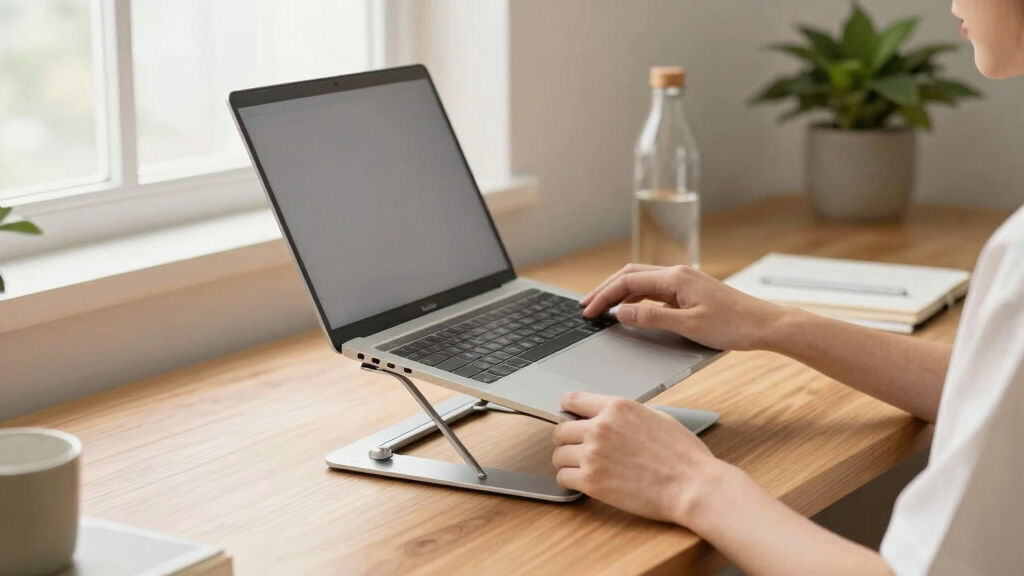
Ergonomic laptop stands elevate your screen to eye level and support better posture, reducing neck and back pain. Modern options offer adjustability, portability, and multi-functionality, making them essential for anyone working long hours on a laptop.
Ever feel that dull ache in your neck after hours hunched over your laptop? You’re not alone. The right ergonomic laptop stand can turn your workspace into a haven of comfort, making long hours feel like a breeze. But with so many options out there, how do you pick the one that truly makes a difference?
This guide dives into what makes a laptop stand truly ergonomic, the latest tech trends, and practical tips to choose the perfect fit for your work style. Let’s transform your desk into a posture-friendly zone that keeps pain at bay and your focus sharp.
Choose an adjustable stand to match your height and work habits, reducing neck and wrist strain.
Look for durable materials like aluminum or steel for longevity and stability.
Prioritize portability if you work remotely or travel often, with foldable, lightweight options.
Latest models integrate smart features like motorized height control and built-in USB hubs.
Always verify compatibility with your laptop size and extra devices before buying.
Why Your Laptop Needs an Ergonomic Stand to Save Your Neck
Using a laptop on your desk often forces you to crane your neck downward, like gazing into a bowl of soup. An ergonomic stand lifts that screen to eye level, aligning your head and neck. This simple shift can cut neck strain by half, according to health studies.
Imagine working from your couch, laptop on a stand, with the screen at eye height. No more hunching, no more headaches. It’s a game-changer for anyone spending hours in front of a screen.
Plus, elevating the laptop encourages better wrist positioning. You won’t be bending your wrists at awkward angles, which helps prevent repetitive strain injuries.
Why does this matter? Proper screen height ensures your neck stays in a neutral position, reducing strain and fatigue. When your head is aligned with your spine, you avoid the constant tension that leads to chronic pain. The tradeoff? Sometimes, increased desk space or a bit more setup time is needed, but the health benefits far outweigh these minor inconveniences. Ultimately, investing in an ergonomic stand promotes long-term comfort and can even boost productivity by keeping you more focused and less distracted by discomfort.
As an affiliate, we earn on qualifying purchases.
How to Pick an Ergonomic Laptop Stand That Actually Works
- Measure your laptop size. Most stands support up to 17 inches, but always check.
- Decide on adjustability. Do you want a static stand or one you can tweak on the fly? Adjustable stands allow you to customize height and tilt, which is crucial for adapting to different tasks or users. A fixed stand might be more stable but less versatile, so consider your workflow and whether you need flexibility or simplicity.
- Check material quality. Aluminum and steel last longer and look sleek, but weigh more. Plastic options can be lightweight but may sacrifice durability. Think about your balance between portability and longevity.
- Prioritize portability if you work remotely or travel often. Foldable and lightweight stands are best here. However, lighter materials might compromise stability, so choose a model that balances weight with sturdiness.
- Look for additional features like cooling vents, USB hubs, or compatibility with external monitors. These extras can streamline your workspace, reduce clutter, and enhance performance. For example, cooling vents prevent overheating during intensive tasks, while built-in USB hubs minimize cable clutter.
Choosing the right stand is about matching features with your work habits and workspace setup. Investing in a well-designed ergonomic stand can reduce fatigue, improve posture, and ultimately enhance your productivity and well-being.
As an affiliate, we earn on qualifying purchases.
Compare Top 3 Ergonomic Laptop Stands: Which One Fits Your Style?
| Feature | Model A | Model B | Model C |
|---|---|---|---|
| Adjustability | Manual, multi-angle | Motorized, remote-controlled | Fixed, single height |
| Material | Aluminum | Recycled plastic + aluminum | Steel |
| Portability | Foldable, lightweight | Compact, semi-foldable | Heavy, non-folding |
| Cooling | Open design | Built-in fan | No cooling features |
| Price | $50 | $120 | $30 |
Model A is great for portability and flexibility, Model B offers high-tech adjustability, and Model C suits tight budgets but still elevates your setup. When choosing among these, consider which features align with your work environment and how much you’re willing to invest. The most expensive doesn’t always mean the best; instead, focus on which features will genuinely improve your comfort and efficiency. For instance, if you frequently switch between sitting and standing, a motorized or highly adjustable model might be worth the extra cost. Conversely, if you mainly work at a fixed desk, a simple, sturdy stand could suffice. Balancing your needs with your budget is key to making a smart choice that enhances your ergonomic health.
As an affiliate, we earn on qualifying purchases.
Latest Innovations Making Laptop Stands Smarter and Better
Ergonomic laptop stands are evolving fast. The newest models now include motorized height adjustment that you control via a smartphone app or remote. Imagine sitting at your desk and tapping a button to raise or lower your laptop, perfect for switching from typing to video calls. This automation not only enhances convenience but also encourages better posture by allowing quick adjustments without interrupting your workflow. Design-wise, stands now sport sleek, minimalist looks, often made from recycled aluminum or eco-friendly plastics. They blend seamlessly into modern workspaces, turning function into style. Beyond aesthetics, these materials contribute to sustainability and durability, ensuring your stand remains a long-term investment. Some stands come with built-in USB hubs, wireless charging pads, or even dual monitor support. This multi-functionality transforms your simple stand into a productivity powerhouse, reducing clutter and streamlining your setup. For example, integrating a wireless charger means you can keep your phone powered without extra cables, while dual monitor support expands your workspace, making multitasking more efficient. These innovations reflect a shift towards smarter, more adaptable work tools that prioritize both comfort and productivity, setting new standards for ergonomic design.
motorized height adjustable laptop stand
As an affiliate, we earn on qualifying purchases.
As an affiliate, we earn on qualifying purchases.
What to Look for When Buying Your Perfect Laptop Stand
- Adjustability: Can you easily set the height and tilt to match your eye level? This flexibility is crucial because it allows you to tailor your setup to your specific posture needs, reducing strain. A stand with multiple adjustment points can accommodate different tasks, whether typing, reading, or video conferencing, ensuring comfort across various activities.
- Compatibility: Will it fit your laptop size and support extra devices? Compatibility isn’t just about size; it also involves weight capacity and support for additional peripherals like external monitors or keyboards. An incompatible stand can lead to instability or damage, so verifying these details prevents future issues.
- Material & Build: Is it sturdy, durable, and non-slip? A solid build ensures your laptop stays secure during use, preventing accidental slips or falls. Non-slip pads add stability on different surfaces, especially if you work on uneven or slippery desks. Durability matters because a flimsy stand might wobble or break over time, undermining your ergonomic investment.
- Portability: Is it lightweight and foldable for travel? Portability is vital for mobile workers. However, lightweight and foldable designs often trade off some stability. Look for a balance that offers easy transport without sacrificing enough sturdiness for safe use.
- Cooling & Extra Features: Does it prevent overheating? Are there USB ports or wireless charging? Overheating can impair device performance and longevity. Features like cooling vents and built-in charging solutions streamline your workspace, saving desk space and reducing clutter. For example, a stand with a built-in USB hub can eliminate the need for multiple adapters, making your setup cleaner and more efficient.
Frequently Asked Questions
How do I know if a stand will fit my laptop?
Check the maximum supported size listed by the manufacturer. Most stands support up to 17 inches, but always measure your laptop’s dimensions to ensure compatibility.Are adjustable stands worth the extra cost?
Absolutely. Adjustable stands offer customizable height and tilt, helping you find the perfect ergonomic position, especially if you switch between sitting and standing or share a workspace.Can a laptop stand really reduce neck and back pain?
Yes. Raising your screen to eye level aligns your head and neck naturally, significantly decreasing strain. Many users report noticeable relief within days of switching to an ergonomic stand.What features should I prioritize for portability?
Look for lightweight materials, foldability, and a compact design. These features make it easier to carry your stand and set up comfortably anywhere.Is it better to buy a dedicated stand or just use books?
A dedicated ergonomic stand offers stability, proper height adjustment, and often better cooling. Books can work temporarily but lack the stability and ergonomic precision of purpose-built stands.Conclusion
Investing in a good ergonomic laptop stand is like giving your workspace a health boost. It’s not just about comfort—it’s about protecting your body during those long work sessions. Remember, a better posture today means fewer aches tomorrow.
So, pick a stand that fits your style, matches your needs, and elevates your work experience. Your neck will thank you, and your productivity will soar.
Halloween Picks
halloween
As an affiliate, we earn on qualifying purchases.