The fastest Wi-Fi 7 routers pair high wireless capacity with enough wired bandwidth to keep demanding devices moving. My best overall pick is the TP-Link Archer BE900, whose quad-band design gives busy households more room for simultaneous traffic; the ASUS ROG Rapture GT-BE98 Pro is a stronger fit for gaming-focused networks, while the TP-Link Deco 7 Pro BE63 suits homes that need mesh coverage rather than one powerful router. The biggest tradeoff is that headline speed alone does not predict performance across walls, floors, or older devices. Band count, Ethernet ports, placement, and whether you need a mesh system can matter just as much. Read on for the full comparison and help matching each pick to your home.

Get health and wellness essentials delivered free with Prime
- Fast, free delivery on millions of items
- Prime Video, Amazon Music and more included
- Member-only deals all year
Key Takeaways
- Quad-band capacity sets the ceiling for the busiest networks: the TP-Link Archer BE900 and ASUS ROG Rapture GT-BE98 Pro stand apart when many devices compete for airtime.
- A fast standalone router cannot solve every coverage problem: the TP-Link Deco 7 Pro BE63 and eero Pro 7 are the mesh-oriented choices for spreading service across multiple rooms.
- Gaming and general-purpose speed are different priorities: ASUS’s ROG model emphasizes gaming-focused controls, while the Archer BE900 is the more broadly oriented premium pick.
- Several listings are refurbished or renewed: the NETGEAR RS700S Renewed and RS300 Certified Refurbished may appeal to buyers weighing condition and seller support alongside performance.
- Lower-tier Wi-Fi 7 models may be the more practical upgrade: routers such as the NETGEAR RS90 and TP-Link Archer BE600 avoid paying for capacity a smaller household may not use.
| NETGEAR Nighthawk RS700S Tri-Band WiFi 7 Router (Renewed) | 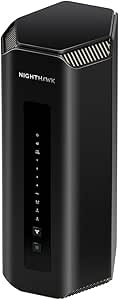 | Best Renewed High-Speed Pick | Wi-Fi generation: Wi-Fi 7 | Frequency bands: Tri-band | Maximum data transfer rate: Up to 19 Gbps | VIEW ON AMAZON | See Our Full Breakdown |
| TP-Link Deco 7 Pro BE63 Tri-Band Wi-Fi 7 Mesh System |  | Best for Whole-Home Coverage | System type: Two-pack Wi-Fi 7 mesh | Wi-Fi standard: Wi-Fi 7 (802.11be) | Frequency bands: Tri-band: 6 GHz, 5 GHz, and 2.4 GHz | VIEW ON AMAZON | See Our Full Breakdown |
| NETGEAR Nighthawk RS700S WiFi 7 Tri-Band Router | | Best Overall for Peak Single-Router Speed | Wi-Fi generation: Wi-Fi 7 | Frequency bands: Tri-band: 2.4 GHz, 5 GHz, and 6 GHz | Maximum data transfer rate: Up to 19 Gbps | VIEW ON AMAZON | See Our Full Breakdown |
| NETGEAR Nighthawk BE17000 Tri-Band WiFi 7 Router |  | Best for 10 Gig Wired Networking | Wi-Fi generation: Wi-Fi 7 | Frequency bands: Tri-band: 2.4 GHz, 5 GHz, and 6 GHz | Maximum data transfer rate: 17 Gbps | VIEW ON AMAZON | See Our Full Breakdown |
| TP-Link Archer BE900 Quad-Band WiFi 7 Router |  | Best Premium Speed Ceiling | Wi-Fi standard: Wi-Fi 7 (802.11be) | Frequency bands: Quad-band, including 6 GHz | Maximum speed: 24.4 Gbps | VIEW ON AMAZON | See Our Full Breakdown |
| TP-Link Archer BE670 Tri-Band Wi-Fi 7 Router |  | Best for Maximum Stated Throughput | Wi-Fi standard: Wi-Fi 7 (802.11be) | Bands: Tri-band: 6 GHz, 5 GHz, and 2.4 GHz | Maximum combined stated speed: Up to 12,218 Mbps | VIEW ON AMAZON | See Our Full Breakdown |
| GL.iNet GL-BE9300 Flint 3 Tri-Band Wi-Fi 7 Router |  | Best for VPN and Network Control | Wi-Fi standard: Wi-Fi 7 (802.11be) | Bands: Tri-band, including 6 GHz | Maximum wireless speed: Up to 9 Gbps | VIEW ON AMAZON | See Our Full Breakdown |
| TP-Link Archer BE600 Tri-Band Wi-Fi 7 Router |  | Best for Multi-Gig Wired Setups | Wi-Fi standard: Wi-Fi 7 | Bands: Tri-band: 6 GHz, 5 GHz, and 2.4 GHz | Combined wireless bandwidth: Up to 9.7 Gbps | VIEW ON AMAZON | See Our Full Breakdown |
| NETGEAR Nighthawk RS90 WiFi 7 Dual-Band Router |  | Best for Smaller, Simpler Networks | Wi-Fi generation: Wi-Fi 7 | Bands: Dual-band: 2.4 GHz and 5 GHz | Maximum data rate: Up to 3.6 Gbps | VIEW ON AMAZON | See Our Full Breakdown |
| ASUS RT-BE9700 Tri-Band WiFi 7 Router |  | Best for Subscription-Free Security | Wi-Fi standard: Wi-Fi 7 (802.11be) | Bands: Tri-band: 2.4 GHz, 5 GHz, and 6 GHz | Maximum data rate: Up to 9.7 Gbps | VIEW ON AMAZON | See Our Full Breakdown |
| NETGEAR Nighthawk RS300 Tri-Band WiFi 7 Router, Up to 9.3 Gbps, 2,500 Sq. Ft. Coverage, Certified Refurbished | 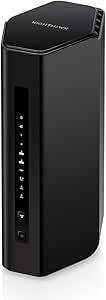 | Best Refurbished Speed-and-Range Balance | WiFi generation: WiFi 7 | Frequency bands: Tri-band, including 6 GHz | Maximum wireless speed: Up to 9.3 Gbps | VIEW ON AMAZON | See Our Full Breakdown |
| ASUS ROG Rapture GT-BE98 Pro Quad-Band WiFi 7 Gaming Router |  | Best for Maximum WiFi 7 Throughput | WiFi generation: WiFi 7 (802.11be) | Frequency bands: Quad-band, including dual 6 GHz bands | Maximum data transfer rate: Up to 30 Gbps | VIEW ON AMAZON | See Our Full Breakdown |
| eero Pro 7 Tri-Band Mesh Wi-Fi 7 Router (1-Pack) |  | Best for Easy Mesh Expansion and Smart Homes | WiFi standard: WiFi 7 (IEEE 802.11be) | Bands: Tri-band: 2.4 GHz, 5 GHz, and 6 GHz | Maximum wireless speed: Up to 3.9 Gbps | VIEW ON AMAZON | See Our Full Breakdown |
| fastest wifi 7 router | Coverage | Frequency bands | Ports |
|---|---|---|---|
| NETGEAR Nighthawk RS700S Tri-B | Up to 3,500 sq. ft. | Tri-band | 1 x 10 Gig internet, 4 x 1 Gig LAN |
| TP-Link Deco 7 Pro BE63 Tri-Ba | Up to 5,800 sq. ft. | Tri-band: 6 GHz, 5 GHz, and 2.4 GHz | — |
| NETGEAR Nighthawk RS700S WiFi | Up to 3,500 sq. ft. | Tri-band: 2.4 GHz, 5 GHz, and 6 GHz | — |
| NETGEAR Nighthawk BE17000 Tri- | Up to 3,300 sq. ft. | Tri-band: 2.4 GHz, 5 GHz, and 6 GHz | 10 Gig WAN, 10 Gig LAN, three 1 Gig LAN, USB 3.0 |
| TP-Link Archer BE900 Quad-Band | Designed for up to 4-bedroom houses | Quad-band, including 6 GHz | Two 10 Gbps WAN/LAN, four 2.5 Gbps LAN, one 1 Gbps LAN, two USB |
| TP-Link Archer BE670 Tri-Band | Up to 3,000 sq. ft. | — | 1 × 10 Gbps WAN/LAN, 1 × 2.5 Gbps WAN/LAN, 3 × 1 Gbps LAN, 1 × USB 3.0 |
| GL.iNet GL-BE9300 Flint 3 Tri- | Up to 2,000 sq. ft. | — | 5 × 2.5 Gbps |
| TP-Link Archer BE600 Tri-Band | Up to 2,600 sq. ft. | — | — |
| NETGEAR Nighthawk RS90 WiFi 7 | Up to 2,000 sq. ft. | — | — |
| ASUS RT-BE9700 Tri-Band WiFi 7 | Up to 2,750 sq. ft. | — | 6 total; individual port speeds are not specified in the supplied data |
| NETGEAR Nighthawk RS300 Tri-Ba | Up to 2,500 sq. ft. | Tri-band, including 6 GHz | — |
| ASUS ROG Rapture GT-BE98 Pro Q | — | Quad-band, including dual 6 GHz bands | — |
| eero Pro 7 Tri-Band Mesh Wi-Fi | Up to 2,000 sq. ft. per unit | — | 2 x 5 GbE Ethernet, 1 x USB-C |
More Details on Our Top Picks
NETGEAR Nighthawk RS700S Tri-Band WiFi 7 Router (Renewed)
The renewed RS700S keeps the headline speed of NETGEAR’s standard RS700S: up to 19 Gbps across three bands, with a 10 Gig internet port for a fast incoming connection. Its stated 3,500-square-foot coverage suits a larger home better than a compact single-router setup, though walls and placement can reduce real-world reach. Compared with the TP-Link Archer BE900, it has a lower listed peak rate and fewer high-speed wired connections, but it still offers a strong speed ceiling for Wi-Fi 7 clients. The main tradeoff is its renewed condition and 90-day warranty, so buyers accept less coverage than a new unit may provide. It is a router, not a modem, and has four 1 Gig LAN ports for wired devices.
Pros:- Tri-band Wi-Fi 7 with a listed maximum rate of up to 19 Gbps
- Coverage rated up to 3,500 square feet
- 10 Gig internet port for a fast modem or gateway connection
- Six antennas and 320 MHz channel bandwidth
Cons:- Renewed condition and 90-day warranty offer less reassurance than a new unit
- Four LAN ports are limited to 1 Gig
- Requires a separate modem or gateway for internet service
Best for: Buyers who want a high-capacity tri-band Wi-Fi 7 router and are comfortable choosing a renewed unit with a shorter warranty.
Not ideal for: Shoppers who want a new router, longer warranty coverage, or multiple multi-gig wired LAN connections.
- Wi-Fi generation:Wi-Fi 7
- Frequency bands:Tri-band
- Maximum data transfer rate:Up to 19 Gbps
- Coverage:Up to 3,500 sq. ft.
- Ports:1 x 10 Gig internet, 4 x 1 Gig LAN
- Antennas:6
- Channel bandwidth:320 MHz
- Condition and warranty:Renewed; 90 days
Our verdict“Choose this renewed RS700S for a 19 Gbps-class Wi-Fi 7 setup if its shorter warranty and gigabit-only LAN ports fit your needs.”
TP-Link Deco 7 Pro BE63 Tri-Band Wi-Fi 7 Mesh System
The Deco BE63 two-pack trades the highest single-router speed claims for broader coverage: its system is rated for up to 5,800 square feet and more than 200 devices. That makes it a better fit than the standalone NETGEAR Nighthawk RS700S when a large or awkwardly laid-out home has dead zones a single router may not reach. Its BE10000 tri-band rating is lower than the RS700S’s 19 Gbps figure, but the mesh format can deliver more consistent access around the home, especially with wired backhaul. Four 2.5 Gbps ports and USB 3.0 give it useful wired flexibility. The tradeoff is that peak speeds depend on placement, obstacles, and client hardware; it also needs a separate modem and relies on an app for setup and management.
Pros:- Two-unit mesh system rated to cover up to 5,800 square feet
- Tri-band Wi-Fi 7 with a combined BE10000 rating
- Four 2.5 Gbps WAN/LAN ports and USB 3.0
- Supports wired or wireless backhaul and more than 200 devices
Cons:- Its BE10000 speed rating is below the 19 Gbps NETGEAR RS700S and 24.4 Gbps Archer BE900
- Real-world coverage and throughput vary with distance, walls, and unit placement
- Requires a separate modem and app-based setup
Best for: Households with a large, multi-room layout, many connected devices, or dead zones that need mesh coverage rather than one powerful access point.
Not ideal for: Buyers focused on the highest listed single-router throughput or those who only need to cover a small, open home.
- System type:Two-pack Wi-Fi 7 mesh
- Wi-Fi standard:Wi-Fi 7 (802.11be)
- Frequency bands:Tri-band: 6 GHz, 5 GHz, and 2.4 GHz
- Maximum combined speed:BE10000
- Coverage:Up to 5,800 sq. ft.
- Device capacity:Over 200 devices
- Ethernet ports:Four 2.5 Gbps WAN/LAN
- USB port:USB 3.0
Our verdict“Pick the Deco BE63 when whole-home reach and mesh flexibility matter more than the roundup’s highest single-router speed claims.”
NETGEAR Nighthawk RS700S WiFi 7 Tri-Band Router
For buyers prioritizing fast Wi-Fi 7 performance from one router, the Nighthawk RS700S is the strongest balance here: it claims up to 19 Gbps, covers up to 3,500 square feet, and supports as many as 200 devices. The 10 Gig WAN and 10 Gig LAN ports matter if a fast internet plan or local wired network would otherwise be bottlenecked at gigabit; four additional 1 Gig LAN ports handle ordinary wired gear. Compared with the Archer BE900, the RS700S has a lower maximum speed rating and fewer high-speed bands, but its 10 Gig wired path and device capacity make it a compelling standalone choice. It still cannot replace a modem, and its coverage depends on the home layout. NETGEAR Armor also requires a subscription after its 30-day trial.
Pros:- Tri-band Wi-Fi 7 with a listed maximum rate of up to 19 Gbps
- 10 Gig WAN and 10 Gig LAN ports support fast internet and local wired links
- Rated for up to 3,500 square feet and 200 connected devices
- Quad-core 2.6 GHz processor, WPA3, and automatic firmware updates
Cons:- Requires a separate modem or gateway with an RJ45 Ethernet port
- NETGEAR Armor requires a subscription after the 30-day trial
- A single router may not cover homes with difficult layouts or substantial interference
Best for: Households with a multi-gig internet connection, Wi-Fi 7 clients, and a need for strong single-router capacity without a mesh system.
Not ideal for: Buyers seeking broad mesh coverage, a built-in modem, or security features without a potential ongoing subscription.
- Wi-Fi generation:Wi-Fi 7
- Frequency bands:Tri-band: 2.4 GHz, 5 GHz, and 6 GHz
- Maximum data transfer rate:Up to 19 Gbps
- Coverage:Up to 3,500 sq. ft.
- Maximum connected devices:Up to 200
- Processor:Quad-core 2.6 GHz
- Ethernet ports:1 x 10 Gig WAN, 1 x 10 Gig LAN, 4 x 1 Gig LAN
- USB and security:USB 3.0; WPA3
Our verdict“Choose the RS700S for a high-speed standalone Wi-Fi 7 network with 10 Gig wired links, provided you already have a separate modem or gateway.”
NETGEAR Nighthawk BE17000 Tri-Band WiFi 7 Router
The Nighthawk BE17000 is aimed at buyers who value fast wired links alongside Wi-Fi 7, with 10 Gig WAN and LAN ports and a stated wireless ceiling of 17 Gbps. That is a step below the RS700S’s 19 Gbps claim, and its coverage rating of 3,300 square feet is also slightly smaller, but the BE17000 still suits demanding home networks where a 10 Gig desktop, NAS, or switch needs a direct connection. It supports up to 150 devices, fewer than the RS700S’s 200, so the RS700S is the stronger pick for a busier household. A quad-core 2.0 GHz processor and USB 3.0 round out the connection options. As with the other standalone NETGEAR routers here, it needs a separate modem or gateway, and Armor has a subscription requirement after its trial.
Pros:- 10 Gig WAN and LAN ports support fast internet and wired network equipment
- Tri-band Wi-Fi 7 rated up to 17 Gbps
- Coverage rated up to 3,300 square feet
- Includes three 1 Gig LAN ports and USB 3.0
Cons:- Lower listed wireless speed and device capacity than the RS700S
- Requires a separate modem or gateway with an RJ45 Ethernet port
- NETGEAR Armor requires a subscription after the 30-day trial
Best for: Users with a 10 Gig wired device or network who want Wi-Fi 7 and multi-gig connections from one standalone router.
Not ideal for: Homes with very high device counts or buyers who want the highest listed wireless speed and coverage in this NETGEAR pair.
- Wi-Fi generation:Wi-Fi 7
- Frequency bands:Tri-band: 2.4 GHz, 5 GHz, and 6 GHz
- Maximum data transfer rate:17 Gbps
- Coverage:Up to 3,300 sq. ft.
- Maximum connected devices:Up to 150
- Processor:Quad-core 2.0 GHz
- Ports:10 Gig WAN, 10 Gig LAN, three 1 Gig LAN, USB 3.0
- Security protocols:WPA3 and WPA2-Enterprise
Our verdict“Choose the BE17000 if 10 Gig wired connectivity is a priority and its 17 Gbps wireless ceiling meets your needs.”
TP-Link Archer BE900 Quad-Band WiFi 7 Router
The Archer BE900 has the highest listed wireless ceiling in this group at 24.4 Gbps, thanks to its quad-band design and dedicated 6 GHz capacity. That extra band can help distribute traffic in a busy home, while 12 internal antennas with beamforming are intended to extend coverage across a larger space. Against the tri-band NETGEAR Nighthawk RS700S, it offers a higher peak rating and more multi-gig LAN connections: four 2.5 Gbps LAN ports plus dual 10 Gbps connections. This makes it a strong fit for homes with fast clients and wired equipment, though the headline rate requires compatible Wi-Fi 7 devices and favorable conditions. Its four-bedroom coverage description is not a precise area figure, and it cannot join third-party mesh systems such as Deco. A separate modem is required.
Pros:- Highest listed maximum speed in this batch at 24.4 Gbps
- Quad-band design includes a dedicated 6 GHz band
- Dual 10 Gbps connections and four 2.5 Gbps LAN ports
- 12 internal antennas with beamforming and app or touchscreen management
Cons:- Requires a separate modem for internet service
- Not compatible with third-party mesh systems such as Deco
- Peak speed depends on compatible devices and real-world conditions
Best for: Buyers building a premium Wi-Fi 7 network with compatible high-speed devices, multi-gig wired equipment, and a large home.
Not ideal for: Shoppers who need exact coverage figures, a built-in modem, or the option to extend service through a third-party mesh system.
- Wi-Fi standard:Wi-Fi 7 (802.11be)
- Frequency bands:Quad-band, including 6 GHz
- Maximum speed:24.4 Gbps
- Ports:Two 10 Gbps WAN/LAN, four 2.5 Gbps LAN, one 1 Gbps LAN, two USB
- Antennas:12 internal antennas with beamforming
- Coverage:Designed for up to 4-bedroom houses
- Security protocols:WPA3, WPA2, WPA Enterprise (802.1x)
- Management:Tether app and web UI
Our verdict“Choose the Archer BE900 for the highest listed speed ceiling and extensive multi-gig connectivity, if you do not need third-party mesh expansion.”
TP-Link Archer BE670 Tri-Band Wi-Fi 7 Router
The Archer BE670 leads this group on stated combined wireless bandwidth at up to 12,218 Mbps, with two high-capacity bands that can serve compatible devices without making the 2.4 GHz band do all the work. Its 10 Gbps and 2.5 Gbps WAN/LAN ports also give fast internet plans and wired network gear room beyond gigabit speeds. Compared with the Archer BE600, the BE670 claims more total wireless capacity and greater coverage, while the BE600 offers three 2.5 Gbps LAN ports for multi-gig wired devices. The BE670’s tradeoff is that its three dedicated LAN ports are gigabit, so high-speed wired connections may need to share its faster WAN/LAN ports. I’d pick it for a busy, wireless-heavy home, not for a setup that needs many multi-gig wired links.
Pros:- Highest stated combined wireless bandwidth among these five, at up to 12,218 Mbps
- Tri-band Wi-Fi 7 with Multi-Link Operation
- 10 Gbps and 2.5 Gbps WAN/LAN ports support fast internet and local-network links
- EasyMesh support, USB 3.0, and app-based setup with HomeShield
Cons:- Only two of its five Ethernet ports support multi-gig speeds; the other three are 1 Gbps
- Coverage and maximum speeds vary with obstacles, distance, and client capability
- Requires a separate modem and does not work with TP-Link Deco mesh systems
Best for: Households with Wi-Fi 7 devices, a fast internet plan, and many wireless clients spread across a medium-to-large home.
Not ideal for: Buyers connecting several multi-gig wired devices, or anyone who needs a router with an integrated modem or TP-Link Deco mesh compatibility.
- Wi-Fi standard:Wi-Fi 7 (802.11be)
- Bands:Tri-band: 6 GHz, 5 GHz, and 2.4 GHz
- Maximum combined stated speed:Up to 12,218 Mbps
- Streams:8
- Coverage:Up to 3,000 sq. ft.
- Maximum devices:Up to 128
- Ports:1 × 10 Gbps WAN/LAN, 1 × 2.5 Gbps WAN/LAN, 3 × 1 Gbps LAN, 1 × USB 3.0
- Mesh compatibility:EasyMesh-compatible; not compatible with Deco mesh systems
Our verdict“Choose the Archer BE670 for top stated wireless capacity and broad coverage, provided your wired setup does not depend on several multi-gig LAN ports.”
GL.iNet GL-BE9300 Flint 3 Tri-Band Wi-Fi 7 Router
The Flint 3 earns its place less through peak speed claims than through a useful combination of Wi-Fi 7 and five 2.5G ports. That gives wired desktops, storage, and access points more headroom than the NETGEAR Nighthawk RS90, whose LAN ports are gigabit. Its WireGuard and OpenVPN support, with stated VPN throughput up to 680 Mbps, plus AdGuard Home make it a better fit for buyers who want to shape how traffic moves through the network. The compromise is a lower stated wireless ceiling of 9 Gbps than the Archer BE670’s 12,218 Mbps, and its stated coverage is smaller. The Linux-based feature set offers flexibility, but setup may call for more attention than TP-Link’s app-led Archer models; GL.iNet also recommends a firmware update during initial setup.
Pros:- Five 2.5G ports provide multi-gig capacity across wired connections
- Tri-band Wi-Fi 7 with Multi-Link Operation
- WireGuard and OpenVPN support with stated speeds up to 680 Mbps
- AdGuard Home, parental controls, and support for over 100 devices
Cons:- Its 9 Gbps stated wireless ceiling is below the Archer BE670’s 12,218 Mbps
- Coverage is stated at up to 2,000 square feet, less than the Archer BE670 and BE600
- Initial firmware updating and its broader feature set may demand more setup attention
Best for: Tech-savvy households or small offices that want Wi-Fi 7, multiple multi-gig wired connections, and built-in VPN or ad-blocking tools.
Not ideal for: Buyers seeking the highest stated wireless throughput, simple set-and-forget setup, or coverage beyond the stated 2,000 square feet.
- Wi-Fi standard:Wi-Fi 7 (802.11be)
- Bands:Tri-band, including 6 GHz
- Maximum wireless speed:Up to 9 Gbps
- VPN throughput:Up to 680 Mbps with WireGuard and OpenVPN
- Ports:5 × 2.5 Gbps
- Coverage:Up to 2,000 sq. ft.
- Memory and storage:1 GB DDR4 RAM; 8 GB eMMC
- Operating system:Linux
Our verdict“Pick the Flint 3 when multi-gig wired ports and VPN controls matter more than having the highest wireless speed claim.”
TP-Link Archer BE600 Tri-Band Wi-Fi 7 Router
The Archer BE600 is the more balanced wired-and-wireless choice in TP-Link’s pair here. Its up to 9.7 Gbps tri-band capacity is below the Archer BE670’s stated 12,218 Mbps, but the BE600 gives you three 2.5 Gbps LAN ports as well as a 10 Gbps and a 2.5 Gbps WAN/LAN port. That layout suits a home with multi-gig desktops, a NAS, or other wired gear better than the BE670’s three gigabit LAN ports. It also has a stated 2,600-square-foot coverage area and supports up to 120 devices. The tradeoff is less wireless headroom than the BE670, and full Wi-Fi 7 performance depends on compatible clients. Some HomeShield security and parental-control features may require a subscription.
Pros:- Three 2.5 Gbps LAN ports make multi-gig wired networking practical
- Tri-band Wi-Fi 7 with up to 9.7 Gbps combined stated bandwidth
- 10 Gbps WAN/LAN port and USB 3.0 add flexible connections
- Stated coverage up to 2,600 square feet and support for up to 120 devices
Cons:- Lower stated combined wireless speed than the Archer BE670
- Full Wi-Fi 7 benefits require compatible client devices
- Some HomeShield security and parental-control functions may require a subscription
Best for: Homes with a multi-gig internet connection and several wired devices that also want tri-band Wi-Fi 7 for a busy household.
Not ideal for: Buyers whose main priority is the highest stated wireless bandwidth or who want every security and parental-control feature without a subscription.
- Wi-Fi standard:Wi-Fi 7
- Bands:Tri-band: 6 GHz, 5 GHz, and 2.4 GHz
- Combined wireless bandwidth:Up to 9.7 Gbps
- Maximum band speeds:6 GHz: 5,765 Mbps; 5 GHz: 2,882 Mbps; 2.4 GHz: 1,032 Mbps
- Coverage:Up to 2,600 sq. ft.
- Maximum devices:Up to 120
- Ethernet ports:1 × 10 Gbps WAN/LAN, 1 × 2.5 Gbps WAN/LAN, 3 × 2.5 Gbps LAN
- USB:1 × USB 3.0
Our verdict“Choose the Archer BE600 over the faster-rated BE670 if multiple multi-gig wired connections matter more than peak wireless capacity.”
NETGEAR Nighthawk RS90 WiFi 7 Dual-Band Router
The Nighthawk RS90 is the clear speed compromise in this Wi-Fi 7 group: its dual-band design is rated up to 3.6 Gbps, well below the tri-band Archer BE600 and the Flint 3. That lower ceiling can still make sense for a smaller network where a straightforward router matters more than maximizing Wi-Fi 7 throughput. It covers a stated 2,000 square feet and supports up to 50 devices, with a 2.5 Gig WAN port for a faster incoming connection. The four LAN ports, however, are limited to 1 Gbps, while the Flint 3 offers five 2.5G ports and the BE600 has three. A separate modem or gateway is required, and NETGEAR Armor moves to a paid subscription after its trial period.
Pros:- Wi-Fi 7 support with stated speeds up to 3.6 Gbps
- 2.5 Gig WAN port can accept a faster internet connection
- Stated coverage up to 2,000 square feet and support for up to 50 devices
- Nighthawk app management, WPA2/WPA3 security, and automatic firmware updates
Cons:- Dual-band design and 3.6 Gbps ceiling trail the tri-band options in this group
- Four LAN ports are limited to 1 Gbps, unlike the Flint 3 and Archer BE600 multi-gig LAN ports
- Requires a separate modem or gateway; NETGEAR Armor requires a paid subscription after its trial
Best for: Small households with a modest number of devices that want a straightforward Wi-Fi 7 router and do not need tri-band capacity or multi-gig LAN.
Not ideal for: Large homes, high-device-count households, or buyers with several multi-gig wired devices who want to maximize Wi-Fi 7 throughput.
- Wi-Fi generation:Wi-Fi 7
- Bands:Dual-band: 2.4 GHz and 5 GHz
- Maximum data rate:Up to 3.6 Gbps
- Coverage:Up to 2,000 sq. ft.
- Supported devices:Up to 50
- WAN port:1 × 2.5 Gig Ethernet
- LAN ports:4 × 1 Gig Ethernet
- Processor:Quad-core 2.0 GHz
Our verdict“Choose the RS90 for a smaller, simpler Wi-Fi 7 network, but skip it if speed capacity or multi-gig wired connections lead your priorities.”
ASUS RT-BE9700 Tri-Band WiFi 7 Router
The ASUS RT-BE9700 pairs a 9.7 Gbps tri-band rating with 320 MHz channels and Multi-Link Operation, making it a capable high-throughput option alongside the Archer BE600. The distinction is its bundled AiProtection security without a subscription, plus VPN features and parental controls. That makes the ASUS appealing to buyers who want network protection without building recurring fees into their router choice. It also supports AiMesh, so compatible ASUS gear can extend the network later. The Archer BE600 offers more detailed Ethernet-port information and three stated 2.5 Gbps LAN ports; the RT-BE9700’s provided data only lists six ports in total, without their individual speeds. Its peak wireless rate and coverage are still theoretical and depend on client devices and local conditions.
Pros:- Tri-band Wi-Fi 7 with 320 MHz channels and Multi-Link Operation
- Up to 9.7 Gbps combined stated wireless speed
- AiProtection network security is included without a subscription
- AiMesh, VPN features, and parental controls are supported
Cons:- The supplied specifications do not state the speed of each of its six ports
- Its 9.7 Gbps stated ceiling is below the Archer BE670’s 12,218 Mbps
- Actual speed and coverage depend on network conditions and connected devices
Best for: Households that want tri-band Wi-Fi 7, built-in security without a subscription, and the option to expand through ASUS AiMesh.
Not ideal for: Buyers who need clearly specified multi-gig LAN port speeds before choosing, or whose priority is the highest stated wireless rate in this group.
- Wi-Fi standard:Wi-Fi 7 (802.11be)
- Bands:Tri-band: 2.4 GHz, 5 GHz, and 6 GHz
- Maximum data rate:Up to 9.7 Gbps
- 6 GHz data rate:Up to 5,764 Mbps
- Channel width:Up to 320 MHz
- Coverage:Up to 2,750 sq. ft.
- Memory:256 MB flash and 1 GB DDR4 RAM
- Ports:6 total; individual port speeds are not specified in the supplied data
Our verdict“Pick the RT-BE9700 if subscription-free security and AiMesh matter more than having the highest speed claim or fully detailed port specifications.”
NETGEAR Nighthawk RS300 Tri-Band WiFi 7 Router, Up to 9.3 Gbps, 2,500 Sq. Ft. Coverage, Certified Refurbished
The Nighthawk RS300 is a sensible middle ground for buyers who want tri-band WiFi 7 without stepping up to the enormous headline speeds and wired capacity of the ASUS ROG Rapture GT-BE98 Pro. Its stated throughput reaches 9.3 Gbps, with coverage rated for 2,500 square feet, making it a stronger fit for a typical multi-room home than a compact, single-area setup. Two 2.5 Gigabit LAN ports also leave room for a fast wired connection or local network device. The tradeoff is the product’s certified refurbished condition and 90-day limited warranty, which offer less reassurance than a new router with longer coverage. It is also router-only, so buyers need a modem separately; multi-gig internet may call for a compatible 2.5 Gbps modem.
Pros:- Tri-band WiFi 7 with stated wireless speeds up to 9.3 Gbps
- Coverage rated up to 2,500 square feet
- Two 2.5 Gigabit LAN ports support faster wired connections
- WPA3 and built-in security features with automatic firmware updates
Cons:- Certified refurbished condition comes with only a 90-day limited warranty
- Does not include a modem, and multi-gig service may require a compatible 2.5 Gbps modem
- Its 9.3 Gbps ceiling is well below the ASUS ROG Rapture GT-BE98 Pro’s 30 Gbps headline figure
Best for: Buyers seeking tri-band WiFi 7 for a medium-to-large home who are comfortable purchasing a certified refurbished router and already have, or plan to buy, a compatible modem.
Not ideal for: Buyers who want a new device with a longer warranty, an all-in-one modem-router, or maximum wired and wireless capacity for a demanding gaming or multi-gig setup.
- WiFi generation:WiFi 7
- Frequency bands:Tri-band, including 6 GHz
- Maximum wireless speed:Up to 9.3 Gbps
- Coverage:Up to 2,500 sq. ft.
- Device capacity:Up to 100 devices
- Ethernet LAN ports:2 x 2.5 Gigabit, 2 x 1 Gigabit
- Security:WPA3
- Condition and warranty:Certified refurbished; 90-day limited warranty
Our verdict“Choose the refurbished RS300 for a balance of WiFi 7 speed and home coverage if its shorter warranty and separate-modem requirement suit your setup.”
ASUS ROG Rapture GT-BE98 Pro Quad-Band WiFi 7 Gaming Router
For buyers chasing the highest stated throughput in this group, the ASUS ROG Rapture GT-BE98 Pro leads with a 30 Gbps maximum and a quad-band design that includes two 6 GHz bands. Its 320 MHz 6 GHz channels and Multi-Link Operation are intended to help compatible devices use WiFi 7’s extra capacity, while gaming traffic acceleration gives busy gaming networks a more focused feature set than the NETGEAR Nighthawk RS300. The wired side is unusually capable too: two 10Gbps ports and four 2.5Gbps ports can serve fast internet and local network equipment. That capacity makes most sense in a high-end setup, not a modest connection with few demanding devices. The eight external antennas and performance-oriented feature set also make it a more involved choice than the simpler eero Pro 7; actual speed and coverage depend on the home and network.
Pros:- Highest stated maximum wireless speed in this batch at up to 30 Gbps
- Quad-band design with dual 6 GHz bands and 320 MHz channel support
- Two 10Gbps and four 2.5Gbps Ethernet ports provide substantial wired capacity
- Multi-Link Operation and gaming traffic acceleration target demanding connections
Cons:- Its high-end throughput and port capacity may go unused on a standard-speed internet plan
- Actual speed and coverage vary with the network, client devices, and environment
- Eight external antennas and extensive features are less suited to buyers seeking a simple, low-profile setup
Best for: Competitive gamers, power users, and households with compatible WiFi 7 clients, multi-gig internet, and several high-speed wired devices.
Not ideal for: Small homes or buyers with ordinary internet plans who want simple app-led setup and will not make use of its extra bands, gaming tools, or multi-gig ports.
- WiFi generation:WiFi 7 (802.11be)
- Frequency bands:Quad-band, including dual 6 GHz bands
- Maximum data transfer rate:Up to 30 Gbps
- 6 GHz channel width:Up to 320 MHz
- Ethernet ports:2 x 10Gbps, 4 x 2.5Gbps
- Antennas:8 external antennas
- Key features:Multi-Link Operation, game traffic acceleration, mesh support, VPN support
- Memory:2 GB RAM
Our verdict“Pick the GT-BE98 Pro when maximum stated WiFi 7 capacity, gaming features, and multi-gig wired connections matter more than simplicity.”
eero Pro 7 Tri-Band Mesh Wi-Fi 7 Router (1-Pack)
The eero Pro 7 is not the speed leader here: its stated wireless maximum of 3.9 Gbps is well below the RS300’s 9.3 Gbps and the ASUS GT-BE98 Pro’s 30 Gbps. Its case is instead about simple mesh expansion, support for internet plans up to 5 Gbps, and capacity for more than 200 devices. A single unit is rated for 2,000 square feet, while additional compatible units can suit homes where one router cannot cover every room. Built-in Thread, Zigbee, and Matter support also gives smart-home buyers a hub alongside the router. The costs of that ease are limited wired expansion—only two 5 GbE ports—and app-required setup and management. Some advanced features may also need a paid eero Plus subscription after its trial, unlike the more hardware-focused ASUS.
Pros:- Tri-band WiFi 7 supports internet plans up to 5 Gbps
- One unit is rated for up to 2,000 sq. ft. and more than 200 devices
- TrueMesh software supports a system that can grow with additional units
- Built-in Thread, Zigbee, and Matter support adds smart-home hub functions
Cons:- Stated maximum wireless speed of 3.9 Gbps trails the NETGEAR RS300 and ASUS GT-BE98 Pro
- Two Ethernet ports limit direct wired-device expansion without additional network hardware
- Initial setup and management require the smartphone app, and some advanced features may require a paid subscription
Best for: Households that want app-led WiFi 7 setup, the option to add mesh units, and integrated Thread, Zigbee, or Matter smart-home support.
Not ideal for: Speed-focused buyers seeking the highest WiFi 7 throughput, users who need several wired connections, or anyone who wants to manage the router without a smartphone app.
- WiFi standard:WiFi 7 (IEEE 802.11be)
- Bands:Tri-band: 2.4 GHz, 5 GHz, and 6 GHz
- Maximum wireless speed:Up to 3.9 Gbps
- Maximum supported internet speed:Up to 5 Gbps
- Coverage:Up to 2,000 sq. ft. per unit
- Device capacity:200+ devices
- Ports:2 x 5 GbE Ethernet, 1 x USB-C
- Smart-home support:Thread, Zigbee, Matter, and Alexa
- Warranty:3-year limited warranty
Our verdict“Choose the eero Pro 7 for straightforward mesh growth and smart-home integration, not for the highest headline WiFi 7 speed.”

How We Picked
I ranked these options around the question behind this roundup: which design has the strongest case for delivering fast Wi-Fi 7 service in a real home? I considered advertised wireless class and band layout, wired connectivity, the likely needs of multiple devices, and whether each product is a standalone router or a mesh system. I also weighed usability and fit: a gaming-focused interface, mesh expansion, compact household needs, and refurbished or renewed condition can change the right choice even when a model’s headline speed looks compelling.
The order favors models with the clearest combination of high capacity and useful flexibility, not a promise that one router will be fastest in every home. The quad-band Archer BE900 and ROG Rapture GT-BE98 Pro lead for demanding networks, while mesh kits rank for coverage needs they address better than a single router. More accessible or simpler models rank lower because they offer less capacity or a narrower fit, not because they cannot be a sensible choice. Actual results depend on internet service, client devices, placement, building materials, and local wireless congestion.
| fastest wifi 7 router | Frequency bands |
|---|---|
| NETGEAR Nighthawk RS700S Tri-B | Tri-band |
| TP-Link Deco 7 Pro BE63 Tri-Ba | Tri-band: 6 GHz, 5 GHz, and 2.4 GHz |
| NETGEAR Nighthawk RS700S WiFi | Tri-band: 2.4 GHz, 5 GHz, and 6 GHz |
| NETGEAR Nighthawk BE17000 Tri- | Tri-band: 2.4 GHz, 5 GHz, and 6 GHz |
| TP-Link Archer BE900 Quad-Band | Quad-band, including 6 GHz |
| TP-Link Archer BE670 Tri-Band | — |
| GL.iNet GL-BE9300 Flint 3 Tri- | — |
| TP-Link Archer BE600 Tri-Band | — |
| NETGEAR Nighthawk RS90 WiFi 7 | — |
| ASUS RT-BE9700 Tri-Band WiFi 7 | — |
| NETGEAR Nighthawk RS300 Tri-Ba | Tri-band, including 6 GHz |
| ASUS ROG Rapture GT-BE98 Pro Q | Quad-band, including dual 6 GHz bands |
| eero Pro 7 Tri-Band Mesh Wi-Fi | — |
Factors to Consider When Choosing Fastest Wifi 7 Routers
Choosing among the fastest Wi-Fi 7 routers starts with matching the network design to your home, not chasing the largest speed label. I would first work out where wireless coverage fails, which devices can use Wi-Fi 7, and whether wired connections are part of the plan.
Decide Whether You Need a Router or Mesh
A standalone router is usually the simpler choice when most devices sit within a reasonable distance of one central location. Mesh systems distribute coverage through multiple nodes, which can help in long, multi-floor, or wall-heavy homes, but a single mesh unit does not provide that multi-node advantage by itself. Before buying, map the rooms where calls, streaming, or downloads struggle and identify whether the issue is distance or network congestion. Adding mesh nodes can improve reach, though wireless links between nodes also use available capacity. Avoid buying a more powerful single router as a substitute for placing access points where your home needs them.
Match Wi-Fi Capacity to Your Devices
A Wi-Fi 7 router cannot make an older phone or laptop use Wi-Fi 7 features it does not support. If only one or two devices are new, a very high-capacity router may offer more headroom than immediate benefit. A busy household with multiple capable laptops, phones, TVs, and smart devices can make better use of added bands and broader capacity. Check the wireless capabilities of the devices you use for heavy work, not just the newest device in the home. Router speed ratings describe potential link capacity, not a guaranteed download speed for each client.
Check Wired Ports Alongside Wireless Speed
Fast wireless performance can be limited by a slower connection to the modem, switch, storage device, or desktop. Check the exact port types and speeds on the router, then compare them with your internet plan and wired equipment. Multi-gigabit ports matter most when your broadband service or local network can use them; they are less useful if every connected device tops out below that level. Buyers planning to connect a NAS, gaming PC, or access point should count ports before purchase, since adapters and switches add complexity. Do not assume two routers with similar wireless labels have the same wired flexibility.
Treat Band Count as Capacity, Not Guaranteed Range
Extra bands can give a router more room to handle simultaneous traffic, but they do not automatically make the signal reach farther through walls. Higher-frequency connections can be more affected by distance and obstacles, so a router’s placement may matter more than its maximum class rating. A quad-band model is most compelling when many high-demand devices share the network or when its extra capacity fits a specific layout. For a smaller household, a less elaborate router may deliver a more balanced upgrade. Compare capacity and coverage as separate questions rather than treating one spec as proof of both.
Pay for Features You Can Put to Work
Premium models make sense when their added capacity, gaming controls, or connectivity serve a clear need. If your current internet service is modest and most devices browse or stream, a flagship router may not change everyday use as much as better placement or a mesh node. Gaming households should weigh latency controls and wired connections alongside raw throughput. Buyers who want a straightforward setup may value a simpler interface over advanced network tuning. Decide which feature would solve a current problem before paying for headroom you may never use.
Check Condition, Support, and Upgrade Timing
Renewed and certified refurbished listings can make a high-end design more accessible, but condition and support terms deserve attention. Check what accessories are included, what warranty or return coverage applies, and whether the seller clearly identifies the unit’s condition. A new model may be a better fit for buyers who want the simplest path to manufacturer support. Also check whether your internet equipment, client devices, and wired network can take advantage of an upgrade now. Buying Wi-Fi 7 for a planned device refresh can be sensible, but an upgrade delivers less value when the rest of the network remains the bottleneck.
Frequently Asked Questions
Will one of these routers make my internet faster than my service plan?
No router can raise the maximum speed supplied by your internet plan. A faster Wi-Fi 7 router can reduce wireless bottlenecks between your home network and capable devices, which may help you get closer to the service speed you already pay for. It can also improve local transfers between devices when the rest of the network supports them. If a wired speed test already reaches your plan’s limit, replacing the router alone is unlikely to increase internet download speed. Check both the service plan and modem connection before buying for speed gains.
Should I choose a quad-band router or a Wi-Fi 7 mesh system?
Choose based on whether your main problem is network capacity or coverage. A quad-band router such as the Archer BE900 or ROG Rapture GT-BE98 Pro is aimed at networks with heavy simultaneous traffic, while a mesh system is designed to spread a connection through more of the home. A mesh system’s advantage depends on having additional nodes placed where they can serve weak areas; one unit alone does not create whole-home coverage. If your devices cluster near the router, added bands may be more useful than mesh. If signal drops across floors or distant rooms, coverage planning should lead the decision.
Do I need Wi-Fi 7 devices to benefit from a Wi-Fi 7 router?
No: older Wi-Fi devices can still connect, but they will not gain Wi-Fi 7-specific capabilities they do not support. A new router may still help by handling a busy network, offering newer wired connections, or providing room for devices you plan to replace. The clearest speed benefits go to compatible clients and a network setup that can support them. Before spending on a flagship, count how many of your regular high-demand devices can actually use its newer wireless features. If that number is small, a more modest model may be a better match until your device mix changes.
Are renewed or refurbished Wi-Fi 7 routers a sensible choice?
They can be, particularly if you want a higher-capacity model and are comfortable checking the listing details closely. The RS700S Renewed and RS300 Certified Refurbished listings make condition part of the buying decision, so review the included power supply and accessories, return window, and warranty terms. Refurbished condition does not change a router’s wireless design, but it can affect support and the ease of resolving a fault. Buyers who prioritize predictable manufacturer support may prefer a new unit. Compare the full support terms rather than treating refurbished and new listings as interchangeable.
How can I tell whether my slow Wi-Fi is caused by the router or by placement?
Test from different locations and compare a wired connection with wireless results. If wired performance is strong but Wi-Fi weakens sharply in distant rooms, distance, walls, or placement may be the main issue. If nearby wireless devices also struggle while many users are active, capacity or congestion could be more relevant. Move the router into an open, central position before replacing it, and check whether an access point or mesh node would address a dead zone more directly. This diagnosis can prevent buying a faster standalone router that still cannot reach the rooms that need coverage.
Conclusion
For the broadest mix of high capacity and everyday flexibility, I would start with the TP-Link Archer BE900 as best overall. The TP-Link Archer BE670 or Archer BE600 makes more sense for best value when a household wants Wi-Fi 7 without flagship-level complexity, while the ASUS ROG Rapture GT-BE98 Pro is my best premium pick for gaming-heavy networks. Beginners who want mesh-style expansion should look first at the TP-Link Deco 7 Pro BE63; the eero Pro 7 is another mesh-oriented option, though one unit alone is not a multi-node coverage setup. For large or hard-to-cover homes, favor a mesh plan over the fastest single-router label. Choose based on the bottleneck you need to fix: capacity, coverage, gaming features, or support and condition.