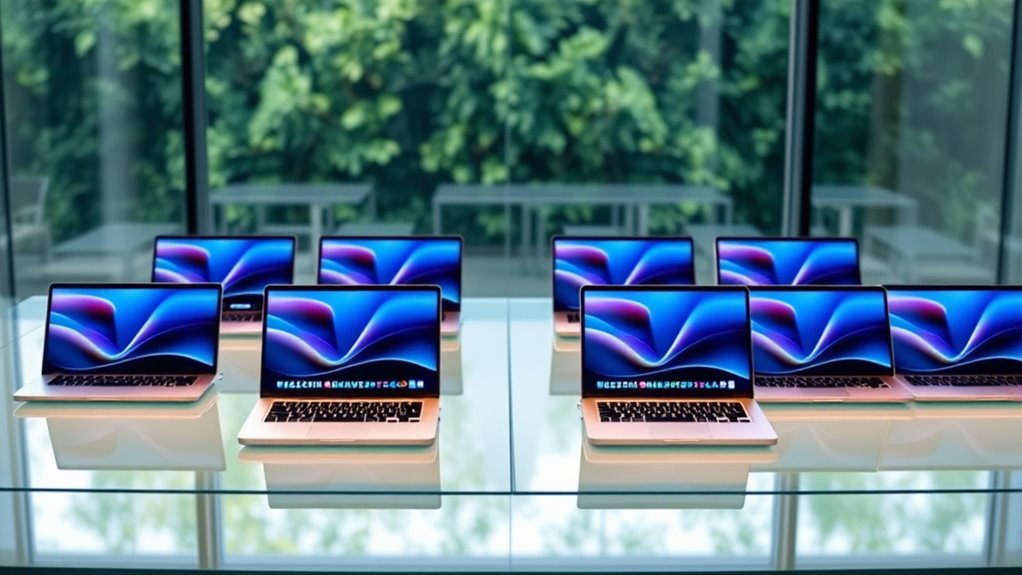

Among these renewed MacBook Pro laptops, I’d rank the 14-inch 2021 M1 Pro with 16GB memory as the best overall balance of performance, portability, and a modern Pro design. The 16-inch 2021 M1 Pro with 32GB memory is a stronger fit for demanding workloads and a larger screen, while the 2020 M1 13-inch stands out for everyday work in a compact format. The central tradeoff is whether to favor a newer chip and longer useful runway or a larger display and more memory from an older generation. Intel models may suit specific needs, but their age and performance-per-watt differences call for closer scrutiny. Read on for the full breakdown, buying advice, and answers to common questions about choosing a renewed MacBook Pro.

Get health and wellness essentials delivered free with Prime
- Fast, free delivery on millions of items
- Prime Video, Amazon Music and more included
- Member-only deals all year
Key Takeaways
- The 14-inch 2021 M1 Pro is the strongest all-rounder: it combines a Pro-class chip and 16GB memory with a more portable footprint than either 16-inch option.
- More memory changes the best choice for heavy work: the 16-inch M1 Pro with 32GB is better suited to large projects and multitasking than the 16GB M1 Pro configurations.
- The 2020 M1 13-inch is the clearest everyday-work pick: its Apple silicon separates it from the older Intel 13-inch models, even though its 8GB memory and 256GB SSD set limits.
- The 2019 Intel 16-inch prioritizes screen size over efficiency: it offers a large workspace, but buyers should weigh its older platform against the M1 Pro 16-inch.
- The two M5 models are current-generation alternatives, not like-for-like renewed bargains: compare their specifications and listing condition carefully against the explicitly renewed older models.
| Apple 2025 MacBook Pro 14.2-inch with M5 chip, 16GB memory, and 1TB SSD |  | Best for Buyers Prioritizing a Newer Chip | Chip: Apple M5 | CPU and GPU: 10-core CPU, 10-core GPU | Display: 14.2-inch Liquid Retina XDR, up to 1600 nits peak brightness | VIEW ON AMAZON | See Our Full Breakdown |
| Apple 2021 MacBook Pro 16-inch (Renewed) – M1 Pro Chip, 32GB RAM, 512GB SSD, Space Gray |  | Best Renewed Pick for Heavy Multitasking | Model year: 2021 | Processor: Apple M1 Pro, 10-core CPU and 16-core GPU | Memory: 32GB unified memory | VIEW ON AMAZON | See Our Full Breakdown |
| Apple MacBook Pro 13-inch (2017), 2.3 GHz Core i5, 8 GB RAM, 256 GB SSD, Space Gray (Renewed) |  | Best for Basic Mac Tasks on a Compact Screen | Model year: 2017 | Processor: 2.3GHz dual-core Intel Core i5 | Memory: 8GB LPDDR3, 2133MHz | VIEW ON AMAZON | See Our Full Breakdown |
| Apple MacBook Pro 13-inch (2019), 8GB RAM, 256GB SSD, Space Gray (Renewed) |  | Best Compact Renewed MacBook Pro for Everyday Use | Model year: 2019 | Processor: 8th-generation Intel Core i5, 1.4GHz | Memory: 8GB DDR3 SDRAM, 2133MHz | VIEW ON AMAZON | See Our Full Breakdown |
| Apple MacBook Pro 16-inch (Late 2019), Core i7, 16GB RAM, 512GB SSD, Space Gray (Renewed) |  | Best Renewed Intel Pick for Dedicated Graphics | Model year: Late 2019 | Processor: 2.6GHz 6-core Intel Core i7-9750H | Memory: 16GB DDR4, 2666MHz | VIEW ON AMAZON | See Our Full Breakdown |
| Apple MacBook Pro 16-inch (Late 2021), M1 Pro, 16GB RAM, 512GB SSD, Space Gray (Renewed) |  | Best Renewed 16-inch Workstation | Model: MacBook Pro (Late 2021) | Processor: Apple M1 Pro | Memory: 16GB | VIEW ON AMAZON | See Our Full Breakdown |
| Apple MacBook Pro 13-inch (2020) with M1 Chip, 8GB RAM, 256GB SSD, Space Gray (Renewed) |  | Best Compact Apple Silicon Pick | Model year: 2020 | Processor: Apple M1, 8-core CPU | Graphics: Integrated 8-core GPU | VIEW ON AMAZON | See Our Full Breakdown |
| Apple MacBook Pro 14-inch (2021) with M1 Pro, 16GB RAM, 512GB SSD, Space Gray (Renewed) |  | Best Balanced Renewed Pro | Model: MacBook Pro (2021) | Processor: Apple M1 Pro | Memory: 16GB unified memory | VIEW ON AMAZON | See Our Full Breakdown |
| Apple 16.2-inch MacBook Pro with M5 Pro, 18-core CPU, 20-core GPU, 24GB Memory, 1TB SSD, Wi-Fi 7, Space Black |  | Best Premium Performance Benchmark | Model: MGEA4LL/A | Processor: Apple M5 Pro, 18-core CPU | Graphics: 20-core GPU | VIEW ON AMAZON | See Our Full Breakdown |
| Apple MacBook Pro 13-inch (2020), 2.0GHz Intel Core i5, 16GB RAM, 512GB SSD, Space Gray (Renewed) |  | Best for Intel-Era Compatibility | Model year: 2020 | Processor: 2.0GHz Intel Core i5 | Memory: 16GB RAM | VIEW ON AMAZON | See Our Full Breakdown |
| renewed macbook pro laptop | Display | Memory | Storage | Processor |
|---|---|---|---|---|
| Apple 2025 MacBook Pro 14.2-in | 14.2-inch Liquid Retina XDR, up to 1600 nits peak brightness | 16GB unified memory | 1TB SSD | — |
| Apple 2021 MacBook Pro 16-inch | 16.2-inch Liquid Retina XDR, 3456 × 2234, 120Hz | 32GB unified memory | 512GB SSD | Apple M1 Pro, 10-core CPU and 16-core GPU |
| Apple MacBook Pro 13-inch | 13-inch Retina LED, 2560 × 1600 | 8GB LPDDR3, 2133MHz | 256GB SSD | 2.3GHz dual-core Intel Core i5 |
| Apple MacBook Pro 13-inch | 13-inch Retina, 2560 × 1600, 60Hz | 8GB DDR3 SDRAM, 2133MHz | 256GB SSD | 8th-generation Intel Core i5, 1.4GHz |
| Apple MacBook Pro 16-inch | 16-inch Retina, listed as 3072 × 1920 | 16GB DDR4, 2666MHz | 512GB SSD | 2.6GHz 6-core Intel Core i7-9750H |
| Apple MacBook Pro 16-inch | 16-inch Liquid Retina XDR, 3456 x 2234 pixels | 16GB | 512GB SSD | Apple M1 Pro |
| Apple MacBook Pro 13-inch | 13.3-inch Retina, 2560 x 1600 pixels, 500 nits | 8GB unified memory | 256GB SSD | Apple M1, 8-core CPU |
| Apple MacBook Pro 14-inch | 14-inch Liquid Retina XDR | 16GB unified memory | 512GB SSD | Apple M1 Pro |
| Apple 16.2-inch MacBook Pro wi | 16.2-inch Liquid Retina XDR | 24GB unified memory | 1TB SSD | Apple M5 Pro, 18-core CPU |
| Apple MacBook Pro 13-inch | 13.3-inch Retina, 2560 x 1600 | 16GB RAM | 512GB SSD | 2.0GHz Intel Core i5 |
More Details on Our Top Picks
Apple 2025 MacBook Pro 14.2-inch with M5 chip, 16GB memory, and 1TB SSD
For buyers comparing renewed MacBook Pro laptops with a newer-generation option, this 14.2-inch model stands out for its M5 chip, bright XDR display, and 1TB SSD. Its 16GB of unified memory and support for up to two external displays suit everyday creative work and multitasking, while the SDXC slot, HDMI, and MagSafe 3 reduce the need to pack adapters. Compared with the renewed 16-inch M1 Pro model, it is more compact and has a newer chip, but offers less memory than that model’s 32GB. The larger renewed 2019 Intel MacBook Pro provides a bigger screen and dedicated graphics, though it lacks this model’s M5 platform. This pick is a poor fit for shoppers whose main goal is a clearly discounted renewed machine; its supplied details do not identify it as renewed.
Pros:- M5 chip with a 10-core CPU and 10-core GPU
- 1TB SSD provides more built-in storage than the 512GB options in this lineup
- Liquid Retina XDR display with up to 1600 nits peak brightness
- Three Thunderbolt 4 ports, HDMI, SDXC, and MagSafe 3
Cons:- The supplied product details do not identify it as renewed
- 16GB memory is less than the 32GB in the renewed 16-inch M1 Pro model
- Its 14.2-inch screen is smaller than the 16-inch alternatives
Best for: Buyers who want a compact 14-inch MacBook Pro with a newer-generation chip, 1TB of storage, and built-in ports for creative peripherals.
Not ideal for: Shoppers specifically seeking a confirmed renewed unit, or professionals who need more than 16GB of memory for demanding workloads.
- Chip:Apple M5
- CPU and GPU:10-core CPU, 10-core GPU
- Display:14.2-inch Liquid Retina XDR, up to 1600 nits peak brightness
- Memory:16GB unified memory
- Storage:1TB SSD
- Camera:12MP Center Stage
- Ports:Three Thunderbolt 4, MagSafe 3, SDXC card slot, HDMI, headphone jack
- External displays:Up to two
Our verdict“Choose this if a newer chip and 1TB storage matter more than a confirmed renewed status or the extra memory and screen space of the 16-inch M1 Pro.”
Apple 2021 MacBook Pro 16-inch (Renewed) – M1 Pro Chip, 32GB RAM, 512GB SSD, Space Gray
This is the strongest fit here for a buyer who wants a confirmed renewed MacBook Pro and needs substantial memory: its 32GB unified RAM gives demanding creative apps and large coding projects more room than the 8GB in either renewed 13-inch Intel model. The M1 Pro and 16.2-inch 120Hz XDR screen make it a more capable workstation-style choice than those older compact machines, and the stated battery life reaches 20–21 hours. Compared with the renewed 2019 16-inch Intel Core i7, this model trades dedicated AMD graphics for Apple silicon, but brings twice the memory and a 120Hz display. Its drawbacks are real: 512GB may be limiting for large media libraries, and the large, heavy chassis is less convenient to carry. The 90-day renewed guarantee is also shorter than a typical manufacturer warranty.
Pros:- 32GB unified memory suits demanding multitasking and large projects
- M1 Pro chip with a 10-core CPU and 16-core GPU
- 16.2-inch Liquid Retina XDR display with 120Hz ProMotion
- Stated battery life of up to 20–21 hours
Cons:- Large 16-inch chassis is heavier and less portable than the 13-inch renewed models
- 512GB SSD can constrain large video, photo, or project libraries
- 90-day renewed guarantee is limited
Best for: Video editors, developers, and other mobile professionals who want a renewed MacBook Pro with 32GB memory and a large high-refresh-rate display.
Not ideal for: Frequent travelers who prioritize a light, compact laptop, or users who need more than 512GB of internal storage without external drives.
- Model year:2021
- Processor:Apple M1 Pro, 10-core CPU and 16-core GPU
- Memory:32GB unified memory
- Storage:512GB SSD
- Display:16.2-inch Liquid Retina XDR, 3456 × 2234, 120Hz
- Battery life:Up to 20–21 hours
- Condition:Renewed
- Warranty:90-Day Amazon Renewed Guarantee
Our verdict“Pick this renewed model for memory-heavy professional work and a spacious 120Hz screen, provided its size and 512GB storage suit your routine.”
Apple MacBook Pro 13-inch (2017), 2.3 GHz Core i5, 8 GB RAM, 256 GB SSD, Space Gray (Renewed)
This renewed 2017 MacBook Pro is the most basic and dated option in this group, but its 13-inch Retina display and 3-pound weight make it a straightforward fit for light tasks such as writing, browsing, and document work. It is more portable than either 16-inch model, including the renewed M1 Pro, though its dual-core Intel processor and 8GB of memory leave less headroom for demanding apps or heavy multitasking. The 2019 13-inch renewed model is also light and adds Touch ID and a newer Intel processor, so it is the more practical compact choice if available. This 2017 version’s 256GB SSD is modest, and the supplied condition information warns of possible screen scratches, dents, and general wear. Its 90-day limited warranty adds little reassurance for buyers seeking longer coverage.
Pros:- 13-inch Retina display with 2560 × 1600 resolution
- Lightweight 3-pound design
- 256GB SSD storage
- Stated battery life of up to 10 hours
Cons:- Dual-core Intel Core i5 and 8GB RAM limit demanding workloads
- Renewed unit may have screen scratches, dents, blemishes, or other wear
- 90-day limited warranty
Best for: Students or home users who need a lightweight renewed MacBook Pro for web browsing, writing, and other light everyday work.
Not ideal for: People editing video, running memory-intensive apps, or expecting a clean cosmetic condition and longer warranty coverage.
- Model year:2017
- Processor:2.3GHz dual-core Intel Core i5
- Memory:8GB LPDDR3, 2133MHz
- Storage:256GB SSD
- Display:13-inch Retina LED, 2560 × 1600
- Graphics:Intel Iris Plus Graphics 640
- Weight:3 pounds
- Warranty:90-day limited warranty
Our verdict“Choose this only for light tasks and portability; the renewed 2019 13-inch model is a better compact alternative for buyers who want Touch ID and a newer processor.”
Apple MacBook Pro 13-inch (2019), 8GB RAM, 256GB SSD, Space Gray (Renewed)
Among the older renewed models here, this 2019 13-inch MacBook Pro is the more balanced choice for routine work: it keeps a light 2.6-pound design while adding Touch ID and True Tone to its Retina display. Compared with the 2017 13-inch model, it has a newer 8th-generation processor and a fingerprint reader, making it the more convenient compact pick. But both machines have 8GB of memory and 256GB of storage, so neither is built for demanding creative workloads or a large offline library. The 2019 model’s two Thunderbolt/USB-C ports are particularly limiting beside the 16-inch alternatives, which are better suited to desk setups with multiple peripherals. Its stated battery life reaches 10 hours, but the 90-day limited warranty remains a short coverage window for a renewed computer.
Pros:- Lightweight 2.6-pound 13-inch design
- Retina display with True Tone
- Touch ID fingerprint recognition
- 256GB SSD and stated battery life of up to 10 hours
Cons:- 8GB RAM can restrict multitasking and demanding applications
- Two Thunderbolt/USB-C ports offer limited peripheral flexibility
- 90-day limited warranty
Best for: Students, commuters, and office users who want a compact renewed MacBook Pro for browsing, documents, video calls, and light multitasking.
Not ideal for: Creative professionals needing sustained processing power, buyers who keep large files locally, or anyone who regularly connects several peripherals.
- Model year:2019
- Processor:8th-generation Intel Core i5, 1.4GHz
- Memory:8GB DDR3 SDRAM, 2133MHz
- Storage:256GB SSD
- Display:13-inch Retina, 2560 × 1600, 60Hz
- Ports:Two Thunderbolt / USB-C ports
- Weight:2.6 pounds
- Security:Touch ID fingerprint recognition
Our verdict“This is the more practical of the two renewed 13-inch Intel picks for everyday portability, as long as 8GB memory and two ports meet your needs.”
Apple MacBook Pro 16-inch (Late 2019), Core i7, 16GB RAM, 512GB SSD, Space Gray (Renewed)
For buyers who specifically need a renewed Intel MacBook Pro with dedicated graphics, this 16-inch model fills a different role from the M1 Pro 16-inch: its AMD Radeon Pro 5300M can suit graphics workflows tied to Intel-era software, while the six-core Core i7 and 16GB of memory offer more capacity than the 8GB 13-inch options. It also provides a larger Retina screen and 512GB SSD. Compared with the renewed 2021 M1 Pro, however, it has less memory and an older Intel platform; the M1 Pro is the stronger general choice for demanding work unless a specific workflow favors this Radeon hardware or Intel compatibility. At four pounds, this is not a small travel machine. The listing also warns of possible cosmetic wear and variable battery condition, and gives a 90-day warranty.
Pros:- Six-core Intel Core i7 processor
- Dedicated AMD Radeon Pro 5300M graphics with 4GB GDDR6
- 16GB memory and 512GB SSD
- 16-inch Retina display with P3 color gamut
Cons:- Four-pound body is less convenient to carry than the 13-inch renewed models
- Renewed condition can mean cosmetic wear or variable battery condition
- 90-day warranty and older Intel platform
Best for: Buyers who need a renewed Intel MacBook Pro with dedicated Radeon graphics for compatible creative software or an Intel-dependent workflow.
Not ideal for: Users seeking a lighter laptop, longer-term warranty coverage, or the newer Apple-silicon platform and 32GB memory of the renewed 2021 M1 Pro model.
- Model year:Late 2019
- Processor:2.6GHz 6-core Intel Core i7-9750H
- Memory:16GB DDR4, 2666MHz
- Storage:512GB SSD
- Display:16-inch Retina, listed as 3072 × 1920
- Graphics:AMD Radeon Pro 5300M, 4GB GDDR6
- Weight:4 pounds
- Warranty:90 days
Our verdict“Choose this renewed 16-inch Intel model when dedicated Radeon graphics or Intel compatibility matters more than the newer platform and higher memory of the M1 Pro.”
Apple MacBook Pro 16-inch (Late 2021), M1 Pro, 16GB RAM, 512GB SSD, Space Gray (Renewed)
I’d choose this 16-inch M1 Pro when a large, color-rich workspace matters more than portability. Its Liquid Retina XDR display gives editing timelines and side-by-side windows room to breathe, while 16GB of memory and a 512GB SSD suit many demanding creative workflows. Compared with the 14-inch 2021 M1 Pro MacBook Pro, this model offers more screen area and a stated battery life of up to 17 hours, but it weighs 4.6 pounds and takes up more room in a bag. The 1080p camera is a practical plus for frequent calls. As a renewed laptop, its prior use is a real uncertainty; I’d check the seller’s condition details and return terms before choosing it for work-critical use.
Pros:- M1 Pro chip is suited to demanding creative and professional workflows.
- 16-inch Liquid Retina XDR display provides a spacious, high-resolution workspace.
- Up to 17 hours of stated battery life supports extended work away from an outlet.
- 1080p FaceTime HD camera is useful for regular video meetings.
Cons:- At 4.6 pounds, it is heavier and bulkier than the 14-inch M1 Pro alternative.
- Renewed condition means prior use and individual cosmetic condition can vary.
- 16GB memory and 512GB storage may limit users with especially large projects.
Best for: Video editors, designers, and frequent video-call users who want a large XDR display and M1 Pro performance in a renewed laptop.
Not ideal for: Commuters who prioritize a light laptop, or professionals who need more than 16GB of memory or storage beyond 512GB without external drives.
- Model:MacBook Pro (Late 2021)
- Processor:Apple M1 Pro
- Memory:16GB
- Storage:512GB SSD
- Display:16-inch Liquid Retina XDR, 3456 x 2234 pixels
- Camera:1080p FaceTime HD
- Battery life:Up to 17 hours
- Weight:4.6 pounds
- Condition:Renewed
Our verdict“Choose this renewed 16-inch model if screen space and M1 Pro capability outweigh the added carry weight and used-device uncertainty.”
Apple MacBook Pro 13-inch (2020) with M1 Chip, 8GB RAM, 256GB SSD, Space Gray (Renewed)
This is the straightforward choice for buyers who want a compact renewed MacBook Pro with Apple silicon and don’t need a large creative workstation. The 13.3-inch Retina display reaches 500 nits, and the M1 chip’s 8-core CPU and GPU offer a newer platform than the Intel-based 13-inch 2020 MacBook Pro with Core i5 elsewhere in this group. Its 8GB of unified memory and 256GB SSD are the main limits: everyday work, browsing, and lighter creative tasks fit better than large media libraries or memory-heavy projects. Active cooling distinguishes it from fanless machines, though the listing doesn’t specify performance results. The renewed offer includes a 90-day limited warranty, a useful protection window, but shorter than some buyers may want.
Pros:- M1 chip with an 8-core CPU and GPU offers Apple silicon in a compact Pro model.
- 13.3-inch Retina display provides 500 nits of stated brightness.
- Three-pound weight makes it easier to carry than the 14- and 16-inch Pro models.
- Professionally inspected and tested, with a 90-day limited warranty.
Cons:- 8GB unified memory can constrain demanding multitasking and creative workloads.
- 256GB SSD leaves limited room for large applications and local media.
- The 90-day warranty is a relatively short coverage period.
Best for: Students, writers, and mobile professionals who want a small Apple silicon MacBook Pro for everyday work and lighter creative tasks.
Not ideal for: Video editors, developers running memory-heavy tools, or buyers who keep large files locally and need more than 8GB memory or 256GB storage.
- Model year:2020
- Processor:Apple M1, 8-core CPU
- Graphics:Integrated 8-core GPU
- Memory:8GB unified memory
- Storage:256GB SSD
- Display:13.3-inch Retina, 2560 x 1600 pixels, 500 nits
- Weight:3 pounds
- Warranty:90-day limited warranty
- Condition:Renewed
Our verdict“Pick this renewed 13-inch M1 model for portable everyday use, but skip it if your regular work needs more memory or storage.”
Apple MacBook Pro 14-inch (2021) with M1 Pro, 16GB RAM, 512GB SSD, Space Gray (Renewed)
I rank this as the balanced M1 Pro option for buyers who want professional capability without carrying the 16-inch model. It pairs 16GB unified memory and a 512GB SSD with a 14-inch Liquid Retina XDR display, making it a more manageable fit for commuting than the 16-inch Late 2021 M1 Pro MacBook Pro. The tradeoff is straightforward: less screen area for long timelines and split-screen work. Its listed wide range of ports, six-speaker audio, and studio-quality microphones make it a versatile work and media machine, though the supplied specs don’t detail specific ports or battery life. Like the other renewed models here, its prior use makes condition and seller support part of the buying decision.
Pros:- M1 Pro chip and 16GB unified memory suit demanding creative workflows.
- 14-inch Liquid Retina XDR display balances screen quality with a more portable form.
- Wide range of connectivity ports can reduce reliance on adapters.
- Six-speaker audio system and studio-quality microphones suit media work and calls.
Cons:- Smaller display offers less room than the 16-inch M1 Pro model for complex layouts.
- Renewed condition can vary, and the provided details do not specify individual battery health.
- Battery life is not stated in the supplied product specifications.
Best for: Creative professionals and hybrid workers who want M1 Pro performance, an XDR screen, and a more portable size than the 16-inch model.
Not ideal for: Buyers who need the largest possible editing canvas, verified battery-life figures, or a new device rather than a renewed one.
- Model:MacBook Pro (2021)
- Processor:Apple M1 Pro
- Memory:16GB unified memory
- Storage:512GB SSD
- Display:14-inch Liquid Retina XDR
- Camera:1080p FaceTime HD
- Audio:Six-speaker sound system with spatial audio support
- Color:Space Gray
- Condition:Renewed
Our verdict“Choose this renewed 14-inch M1 Pro if you need a capable creative laptop that is easier to carry than the 16-inch alternative.”
Apple 16.2-inch MacBook Pro with M5 Pro, 18-core CPU, 20-core GPU, 24GB Memory, 1TB SSD, Wi-Fi 7, Space Black
This newer 16.2-inch MacBook Pro is the premium performance benchmark in this batch, not a renewed pick. Its M5 Pro, 24GB unified memory, and 1TB SSD give demanding workflows more headroom than the renewed 16-inch Late 2021 M1 Pro MacBook Pro, which has 16GB memory and 512GB storage. Thunderbolt 5, Wi-Fi 7, and a 12MP Center Stage camera also bring newer connectivity and calling features. That extra capability may be unnecessary for routine office work, and the 4.71-pound body is still a substantial carry. Buyers whose priority is specifically a renewed laptop should focus on the other entries; this model is useful as a newer-generation alternative when performance and expanded specs matter more than the renewed category.
Pros:- M5 Pro pairs an 18-core CPU with a 20-core GPU for demanding work.
- 24GB unified memory and a 1TB SSD provide more capacity than the renewed M1 Pro options listed.
- Thunderbolt 5, Wi-Fi 7, HDMI, and SDXC offer broad connectivity.
- 12MP Center Stage camera supports video calls that keep the user framed.
Cons:- This listing is not identified as renewed, so it falls outside the roundup’s central renewed-device focus.
- At 4.71 pounds, the 16.2-inch laptop is a heavy choice for frequent travel.
- Its advanced hardware may be more than everyday browsing and office tasks require.
Best for: Professionals with demanding creative, development, or on-device AI workloads who want newer hardware, larger memory, and more built-in storage.
Not ideal for: Buyers specifically seeking a renewed MacBook Pro, or users whose everyday workload does not call for this level of performance and capacity.
- Model:MGEA4LL/A
- Processor:Apple M5 Pro, 18-core CPU
- Graphics:20-core GPU
- Memory:24GB unified memory
- Storage:1TB SSD
- Display:16.2-inch Liquid Retina XDR
- Wireless:Wi-Fi 7, Bluetooth 6
- Camera:12MP Center Stage
- Weight:4.71 pounds
Our verdict“Choose this newer model over the renewed options only if your workload can use its extra performance and memory and you do not require renewed condition.”
Apple MacBook Pro 13-inch (2020), 2.0GHz Intel Core i5, 16GB RAM, 512GB SSD, Space Gray (Renewed)
This renewed Intel model has a focused case: it gives buyers 16GB RAM and 512GB SSD in a compact 13-inch MacBook Pro, with a fingerprint reader and backlit keyboard. That capacity exceeds the 13-inch 2020 M1 MacBook Pro in this group, but its 2.0GHz Core i5 platform is the older choice and lacks the listed M1 chip’s 8-core CPU and GPU. I’d favor it only when a buyer has a specific need for Intel-era software or an established workflow that depends on that platform. The 13.3-inch Retina display keeps the system portable, while stated battery life of up to 10 hours is below the 16-inch M1 Pro model’s figure. Because it is renewed, actual battery condition may differ.
Pros:- 16GB RAM and 512GB SSD offer more listed capacity than the 13-inch M1 model in this batch.
- 13.3-inch Retina display keeps the laptop compact for everyday carry.
- Backlit keyboard and fingerprint reader add practical convenience.
- Professionally inspected and tested, with Amazon Renewed Guarantee eligibility stated in the description.
Cons:- Intel Core i5 is an older platform than the M1 chip in the other 13-inch 2020 option.
- Up to 10 hours of stated battery life is lower than the 16-inch M1 Pro model’s claim.
- Battery life and cosmetic condition may vary on a renewed unit.
Best for: Mac users who need an Intel-based system for compatible legacy software and want 16GB RAM with a 512GB SSD in a compact laptop.
Not ideal for: Buyers seeking Apple silicon performance, longer stated battery life, or a renewed MacBook Pro suited to newer, demanding creative workloads.
- Model year:2020
- Processor:2.0GHz Intel Core i5
- Memory:16GB RAM
- Storage:512GB SSD
- Display:13.3-inch Retina, 2560 x 1600
- Battery life:Up to 10 hours
- Weight:3.1 pounds
- Special features:Backlit keyboard, fingerprint reader
- Condition:Renewed
Our verdict“Pick this renewed Intel MacBook Pro only if software compatibility is your priority; for most buyers, the 13-inch M1 model is the newer-platform choice.”

How We Picked
I ranked these laptops by how well their chip generation, memory, storage, and screen size match common buyer needs, rather than treating every MacBook Pro configuration as interchangeable. I gave more weight to Apple silicon models for their newer platform and stronger fit for sustained mobile work, then separated picks by portability, demanding workloads, and likely everyday use. Memory and SSD capacity mattered because they shape how comfortably a laptop handles large projects and how soon a buyer may need external storage.
I also considered the renewed buying context: model age, the gap between configurations, and whether a listing clearly identifies the model and condition. The ranking favors balanced configurations with clear roles, not simply the newest or largest machine. The M5 entries are included as current-generation reference points, but their listings are not explicitly labeled renewed, so buyers should confirm condition and renewal status before treating them as directly comparable.
Factors to Consider When Choosing Renewed Macbook Pro Laptops
With renewed MacBook Pro laptops, the model name alone does not tell you whether a listing fits your work. I’d first match the workload and expected ownership period to the chip and memory, then check the exact configuration and renewal terms. These factors can help avoid buying a machine that looks capable on paper but falls short in daily use.
Match the Chip to the Workload
For browsing, documents, video calls, and light creative work, an M1 MacBook Pro can still be a more sensible choice than an older Intel model. Pro chips are a better match for sustained creative workloads, multiple demanding apps, or workflows that can use more CPU and GPU capacity. A common mistake is choosing by the year alone; two laptops from nearby years can differ greatly because one uses Intel and the other Apple silicon. Check that your key software supports the chip and macOS version you expect to use. If your work is mostly routine, a higher-tier chip may add capability you rarely use rather than a meaningful day-to-day benefit.
Choose Memory for Your Real Project Size
Memory affects how many demanding apps, browser tabs, and large files can stay active without slowing your workflow. The 8GB configurations in this roundup suit lighter use better than heavy editing, large software projects, or long multitasking sessions. If you regularly work with large media files or virtual machines, prioritize a higher-memory configuration before spending extra for a larger screen. Because memory is not a practical upgrade for these MacBooks after purchase, choosing too little can be harder to fix than running out of SSD space. Base the decision on your heaviest typical work, not an occasional task.
Treat Storage as a Workflow Choice
A 256GB SSD can work if most files live in cloud storage or on external drives, but it leaves less room for applications, cached media, and active projects. A 512GB drive offers more breathing room for mixed use, while 1TB is more comfortable for keeping larger libraries and projects on the laptop. External storage can reduce pressure on the internal drive, but it adds another item to carry and manage. Buyers often focus on processor names and overlook how quickly video, photo, and development files fill a smaller SSD. Check your current storage use before deciding whether a capacity limit will become a daily nuisance.
Decide Whether Screen Size Helps or Hinders
A 16-inch model gives more room for timelines, side-by-side windows, and detailed work, which may reduce the need for an external monitor. That extra screen area comes with a larger laptop to carry, so it is less appealing for frequent commuting or travel. A 14-inch Pro can be a more balanced mobile workstation, while a 13-inch model favors compactness over workspace. Consider where you do most of your work: a desk-based user may benefit from the larger display, while a mobile user may value the lighter footprint more. Screen size should complement your routine rather than serve as a shortcut for judging performance.
Check Renewed Condition and Seller Terms
Renewed listings can vary in cosmetic condition, included accessories, battery state, and return or warranty coverage. Read the listing details for the exact model identifier and configuration, not just the headline, since similar names can refer to different chips or specifications. Ask how battery health is described and what remedy is available if the delivered laptop does not match the listing. A clean-looking exterior does not confirm battery capacity or component condition. Compare the protections offered by the seller before choosing between two otherwise similar configurations.
Weigh Platform Age Against Your Ownership Plans
An older MacBook Pro may handle current tasks well, but its remaining software-support window and compatibility with future apps matter if you plan to keep it for years. Intel models deserve extra scrutiny because their platform differs from the Apple silicon options in this roundup, including software compatibility and performance characteristics. Before buying, check that the macOS version available to that model supports the tools you rely on. If you expect a short ownership period or have a specific Intel-dependent workflow, an older model may still fit. For a longer planned lifespan, a newer Apple silicon generation is generally the safer direction.
Frequently Asked Questions
Is a renewed M1 Pro MacBook Pro a better choice than a newer base-model MacBook Pro?
It depends on whether your priority is Pro-level workload capacity or a newer platform and its features. An M1 Pro configuration can be a strong fit for sustained creative work, especially when paired with 16GB or 32GB memory. A newer base model may suit routine tasks and offer a later-generation platform, but the chip name alone does not settle the comparison. Check the memory, storage, display size, and software requirements together. Also confirm that the newer listing is actually renewed and that its condition terms match your expectations.
Should I choose 8GB or 16GB of memory in a renewed MacBook Pro?
Choose 8GB only if your routine is light and you do not often keep several demanding apps or large projects open at once. For broader multitasking and more demanding creative or technical work, 16GB gives more room to work without relying as heavily on memory management. If your workload includes large video projects, complex development tools, or virtual machines, look beyond 16GB where a higher-memory configuration is available. Memory cannot be upgraded later, so it deserves more attention than accessories that can be added after purchase. Use your heaviest regular workload as the guide.
Is a 2019 Intel MacBook Pro still a sensible renewed purchase?
It can make sense for a buyer with a clear reason to choose Intel, a preference for that model’s configuration, or a limited-use role. For general use, I’d compare it closely with the Apple silicon models here, especially the 2020 M1 and 2021 M1 Pro options. Consider how long you expect to keep it and whether the software you rely on will remain compatible with its supported macOS versions. The large 2019 16-inch display may appeal to desk-based users, but it does not erase the platform’s age. Verify battery condition and seller protections before committing.
What should I verify before buying a renewed MacBook Pro online?
Confirm the exact year, chip, screen size, memory, and SSD capacity, since listings can use similar product names for different configurations. Read how the seller describes cosmetic condition, battery health, included charger, returns, and warranty coverage. Check whether the listing is explicitly renewed; a current-generation product name does not by itself establish that status. Make sure the laptop supports the macOS version and software your work requires. Save the listing details so you can compare the delivered device with what was advertised.
Is 256GB storage enough for a MacBook Pro I plan to keep for several years?
It can be enough for a light-use laptop if you keep most files in cloud storage or on external drives and manage large downloads. For locally stored creative projects, photo libraries, development tools, or offline media, 256GB can become restrictive sooner. A larger internal SSD is convenient because it keeps active work available without extra devices. External drives can help, but they add cost, setup, and something else to carry. Check your current storage use and leave room for apps and future projects before choosing the smaller configuration.
Conclusion
For most buyers seeking a renewed MacBook Pro, my best overall recommendation is the 14-inch 2021 M1 Pro with 16GB memory: it offers a useful balance of Pro-class capability and portability. The best value for everyday work is the 2020 13-inch M1, provided its 8GB memory and 256GB SSD fit your workload. For a best premium workstation among the explicitly renewed models, choose the 16-inch 2021 M1 Pro with 32GB when larger projects and a spacious display matter more than portability. Beginners with routine computing needs can start with the 13-inch M1 rather than paying for capacity they may not use. For a specific need such as a large screen or current-generation performance, compare the 2019 16-inch Intel and the M5 listings carefully, confirming software fit and renewed condition before choosing.
Cold & flu season Picks
humidifiers
As an affiliate, we earn on qualifying purchases.