
TL;DR
Listen free for 30 days with Audible
Thousands of audiobooks and originals — cancel anytime.
Start your free trialAs an affiliate, we earn on qualifying purchases.
Prebuilt AI workstations are now often cheaper and faster to deploy than DIY builds, thanks to component shortages and bulk buying. Your decision depends on whether you prioritize immediate use, customization, or future upgrades.
Ever wonder if you should build your own AI powerhouse or just buy one ready to roll? The answer isn’t as simple as it used to be. Thanks to soaring component prices and supply chain chaos, prebuilt systems now often match or beat DIY costs, while saving you time and hassle.
This isn’t just about saving a few bucks. It’s about what you need — immediate deployment, tailored performance, or rock-solid support. Today’s AI rigs demand careful thermal tuning and high reliability. So, your choice hinges on whether you want to pull the levers yourself or pay someone else to do it for you.
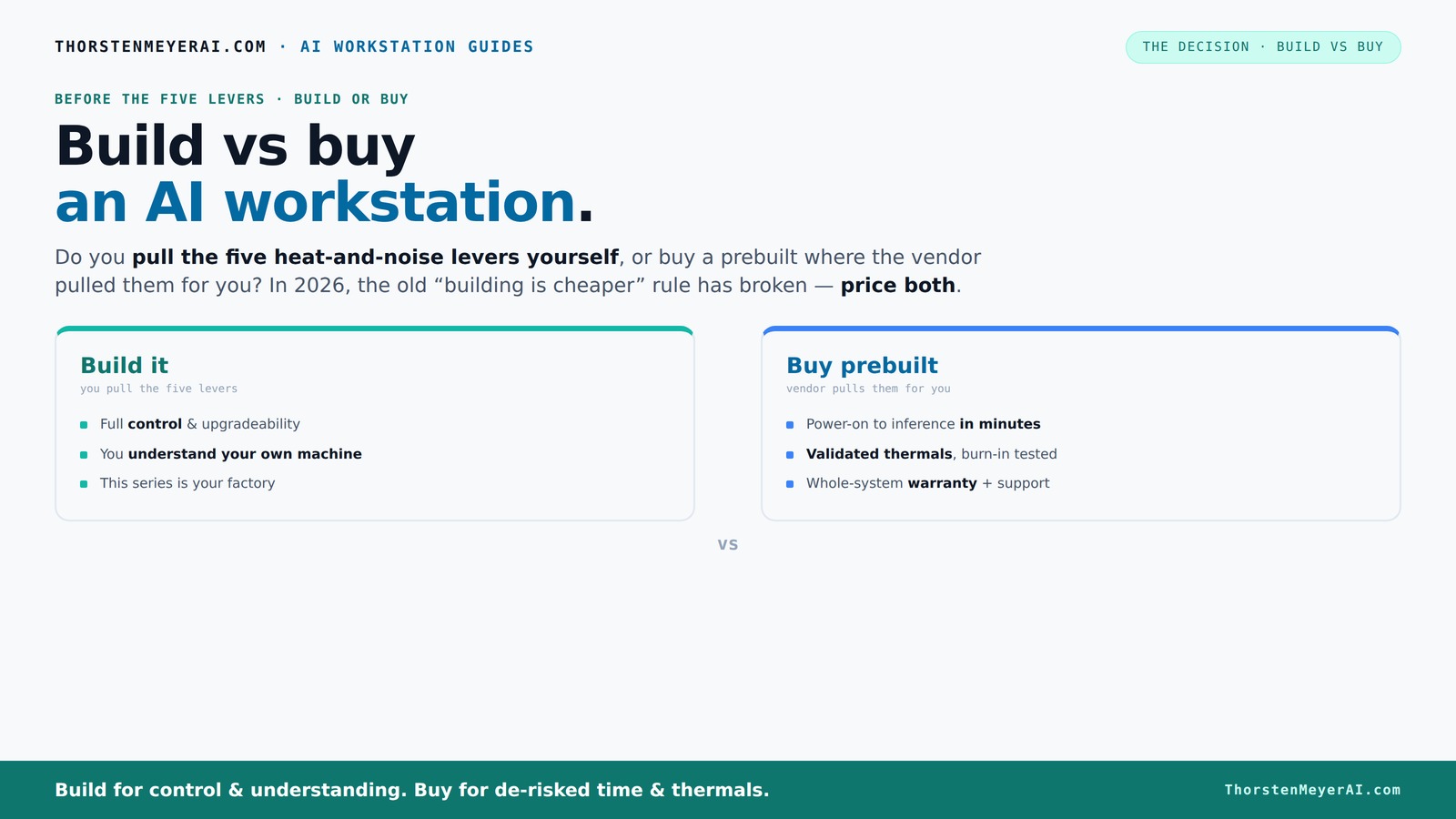
Build vs buy
an AI workstation.
The real question behind this whole series: do you pull the five heat-and-noise levers yourself, or buy a prebuilt where the vendor pulled them for you? And in 2026, the old “building is cheaper” rule has broken. Match your situation in Part 3.
Key Takeaways
- Market shifts in 2026 mean prebuilts often match or beat DIY costs due to component shortages and bulk buying.
- Prebuilt workstations include thermal validation and support, reducing setup risk and downtime.
- Building offers full control over hardware choices, cooling, and future upgrades, but requires time and expertise.
- Support and warranty are major benefits of prebuilts, especially for professional environments.
- Your decision hinges on whether you prioritize immediate deployment and support or customization and ongoing control.
As an affiliate, we earn on qualifying purchases.
Why 2026 Changes the Build vs Buy Game — It’s Not Just About Cost Anymore
Building your own AI workstation used to be the clear winner on price. But in 2026, things have shifted dramatically. Component shortages, inflation, and bulk purchases mean prebuilt vendors can now offer systems at prices that are tough to beat—even if you DIY.
For example, a custom build that used to cost around $1,200 now often hits $1,400 or more, while prebuilt systems from major vendors sometimes come in just a few hundred dollars more, with less hassle. This flip in economics means you need to do the math for your specific setup — no assumptions allowed.
Beyond just cost, this shift impacts your decision-making process. When prebuilt systems are similarly priced or cheaper, the appeal of DIY diminishes unless you value complete customization or specific hardware choices. It also reduces the incentive to spend extra time troubleshooting or assembling—especially for those who need to deploy quickly or without technical overhead. The tradeoff is that you might sacrifice some control over hardware selection, but in many cases, the convenience outweighs the cost savings.
As an affiliate, we earn on qualifying purchases.
The Five Levers to Make Your AI Workstation Cool and Quiet — Who Pulls Them?
Running an AI workstation at full throttle heats things up faster than a summer barbecue. The five levers to keep it cool and quiet are: undervolting the GPU, choosing a matching cooler, optimizing case airflow, tuning the fans, and smart placement.
If you buy a prebuilt, the vendor pulls these levers for you — validating thermals and noise levels before shipping. They test under load, tune fan curves, and often include water-cooling for whisper-quiet operation. You pay for this peace of mind, and it ensures your system runs optimally without requiring your constant intervention.
When building, you get to decide how aggressive or conservative your thermal management is. You can choose quiet fans, custom cooling solutions, or even undervolt components to reduce noise and heat. However, this control involves a learning curve, time investment, and ongoing monitoring. The tradeoff is that you can optimize for silence and temperature exactly as you want, but it demands technical know-how and patience. The implications are significant: poorly managed thermals can lead to thermal throttling, reduced lifespan, or noisy operation, affecting your system's reliability and your peace of mind.
As an affiliate, we earn on qualifying purchases.
Prebuilt vs DIY: Which Saves You Time and Hassle?
Prebuilt systems are plug-and-play. You power on, install your AI stack (like CUDA or TensorFlow), and start training or inference in minutes. For more guidance, check out this comparison of build vs buy. No fussing with BIOS settings or compatibility issues. This ease of deployment is crucial for teams or individuals who need quick results and minimal technical overhead, reducing delays and frustration.
DIY builds require sourcing parts, assembling, troubleshooting BIOS, and testing. That can take days or even weeks — especially if you hit compatibility snags or cooling problems. But if you enjoy the process, it can be rewarding and educational. The tradeoff is time: while a DIY approach offers customization and potential cost savings, it demands patience, technical skill, and often a willingness to troubleshoot unexpected issues. For those with tight deadlines or less technical expertise, prebuilt systems reduce risk and accelerate project timelines.
As an affiliate, we earn on qualifying purchases.
Cost Breakdown: Building vs Buying — What’s Really Cheaper?
Cost isn’t just about the sticker price. Building your own system involves buying individual parts: GPU, CPU, RAM, SSD, cooling, case, PSU. You can learn more about assembling a powerful AI workstation at this guide. While you might get better hardware for less, supply chain issues inflate prices, and assembling it yourself adds time and potential troubleshooting costs. Additionally, there’s the risk of compatibility issues or suboptimal configurations that might require upgrades or repairs down the line, adding to the total cost of ownership.
Prebuilts include assembly, validation, and support — which add to the cost but save you time and reduce the risk of compatibility issues. Recent data shows that a prebuilt can cost around $1,500 for a high-end AI system, but if you factor in the time spent troubleshooting, upgrading, or repairing a DIY build, the total cost can surpass that. Also, prebuilts often come with warranties, support, and thermal validation, which can prevent costly downtime and improve reliability—important considerations for professional use.
In essence, the real cost comparison involves not just initial purchase price but also the value of your time, support, and future-proofing. The tradeoff is whether you prefer the potential savings and customization of a DIY build or the convenience and reliability of a prebuilt.
Upgradeability and Future-Proofing — Who Has the Edge?
If you want a machine that adapts over time, building your own gives you the flexibility. You can choose a case with extra space, select standard components, and swap out GPUs or RAM as needed. For more insights, visit this caregiving resource. This approach allows you to extend the system’s lifespan and adapt to evolving AI workloads, ensuring you get maximum value from your investment.
Prebuilt systems may use proprietary connectors or limited upgrade paths. Some OEMs solder RAM or use custom power supplies, making future upgrades tricky or costly. This can lead to a shorter effective lifespan or force you to replace the entire system sooner, which impacts your total cost of ownership and flexibility.
For instance, a DIY build might let you add a second GPU later or upgrade to faster memory as needed. Conversely, a prebuilt might only support limited upgrades, or require replacing major components, which can be more expensive and disruptive. The key implication is that a DIY system can evolve with your needs, potentially saving money and extending utility over time, while prebuilts may lock you into a specific configuration.
Support, Warranty, and Risk — Why It Matters
Prebuilt systems come with single-vendor support, warranties up to 5 years, and in-house testing. If something goes wrong during training, you call support — they troubleshoot, replace parts, and keep you running. This reduces downtime and provides peace of mind, especially in critical professional environments where reliability is paramount.
DIY builds can involve multiple vendors, each with their own support policies. Troubleshooting can become a maze, especially if incompatibilities or overheating cause problems. You’re on your own more often, which can lead to increased downtime and frustration. For mission-critical workloads, this risk might outweigh the potential savings, making prebuilts a safer bet. Conversely, some experts prefer the control and direct support from component manufacturers, which can be more flexible but requires more effort to coordinate.
The implication is that support and warranty are not just safety nets—they’re strategic assets that can influence operational continuity, especially when downtime is costly or unacceptable.
Who Should Build, Who Should Buy? Picking the Right Path
If you thrive on tinkering, enjoy learning, or need a highly customized setup, building your own system makes sense. It’s the best way to squeeze out every ounce of performance and control costs, especially if you want to optimize for specific workloads or future upgrades. This path suits enthusiasts and those with technical skills who value the process as part of the overall experience.
But if your priority is quick deployment, reliable operation, and minimal hassle, a prebuilt from a reputable vendor is the way to go. Especially if you’re deploying multiple systems or need guaranteed support, the convenience can outweigh the potential cost savings of DIY. For example, a startup with a tight deadline might prefer a prebuilt to meet project timelines, while a researcher with a flexible schedule might enjoy the process of building and fine-tuning their system.
The key is understanding your operational priorities, technical skills, and long-term plans. The right choice aligns with your workflow, budget, and comfort level with troubleshooting and maintenance.
Frequently Asked Questions
Is it cheaper to build or buy a prebuilt AI workstation?
It depends. Recent market dynamics mean prebuilts can be as cheap or cheaper than DIY, especially when factoring in time, support, and thermal validation. Always compare the total cost for your specific configuration.Which option offers better performance for AI training and inference?
Both can deliver excellent performance. Building allows you to fine-tune hardware choices and cooling, but prebuilts come optimized and tested for sustained loads, often matching or exceeding DIY performance for complex workloads.How easy is it to upgrade a prebuilt system later?
Upgrade paths vary. Many prebuilts use proprietary parts or soldered components, limiting future upgrades. DIY builds typically use standard parts, making upgrades simpler and more flexible.Are prebuilts reliable enough for professional AI work?
Yes, reputable vendors rigorously test prebuilts for thermal stability and include warranties. For mission-critical workloads, support and validation make prebuilts a safe choice.What should I consider when choosing between build and buy?
Focus on deployment speed, support needs, upgrade plans, and how much control over hardware you want. Recent market shifts mean do the math for your specific needs before deciding.Conclusion
If quick, reliable performance with less hassle matters most, a prebuilt is your best bet. But if you love tinkering, want total control, and can wait, building your own unlocks maximum customization and potential savings.
In 2026, the smart move is to do the math. Prices are closer than ever. Think about what you really need — and whether you’re ready to pull the levers or prefer someone else to do it for you.
Fall Picks
fall essentials
As an affiliate, we earn on qualifying purchases.